A Step-by-Step Guide to Buying Crypto With Apple Pay
While the ability to buy crypto with Apple Pay is becoming increasingly available, it’s important to understand the specifics before jumping in. Some platforms now offer this convenient payment option, but be aware that purchase limits might apply, and not all exchanges currently support it.
It’s important to check with your preferred platform for confirmation. As for developments, Binance, the leading cryptocurrency exchange by volume, added Apple Pay and Google Pay for crypto purchases in its app in November 2022 and now lists them alongside Visa and Mastercard cards.
Want to buy Bitcoin using your iPhone or other Apple device? Here’s a step-by-step guide to get you started, focusing on the two popular exchanges: KuCoin and Binance, both for users outside the US. KuCoin agreed in January 2025 to leave the US market for at least two years. In the US, Coinbase and Crypto.com (outside New York) support Apple Pay.
Things to know
- You’ll need an account on either KuCoin or Binance (depending on your location).
- Binance processes Apple Pay itself in its iPhone app. In the KuCoin steps below, a third-party provider called Banxa processes the payment.
- There may be fees involved, so check the details before buying. Some banks add their own fee because they treat crypto purchases as cash-like transactions.
Steps
- Create an account
Sign up for either KuCoin or Binance if you haven’t already.
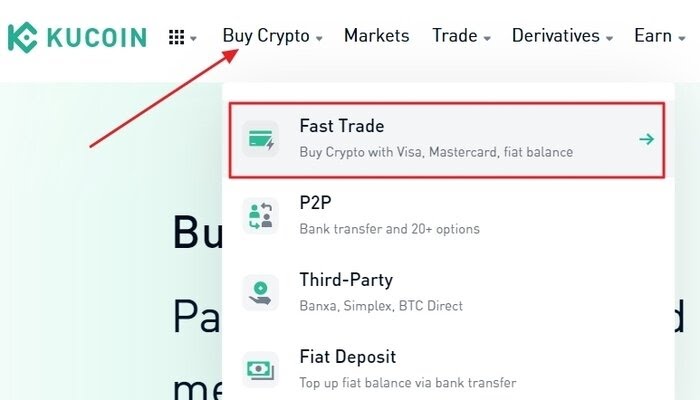
- Go to “Buy Crypto”
Find the option to buy cryptocurrency on the platform (e.g., “Fast Trade” on KuCoin).
- Enter amount
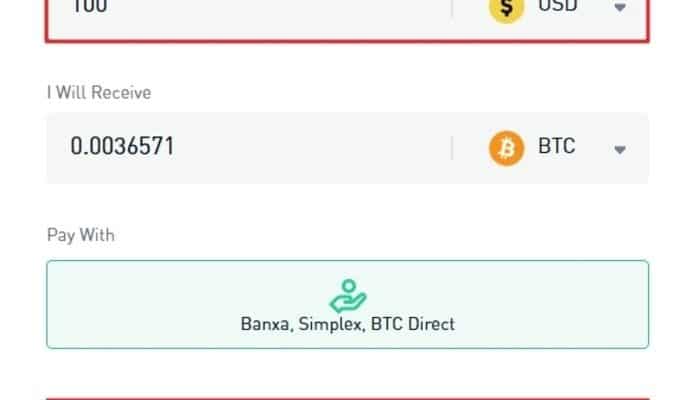
Choose how much Bitcoin you want to buy (e.g., $100 worth).
- Select payment method
Choose “Apple Pay” and “Banxa” as the payment channel.
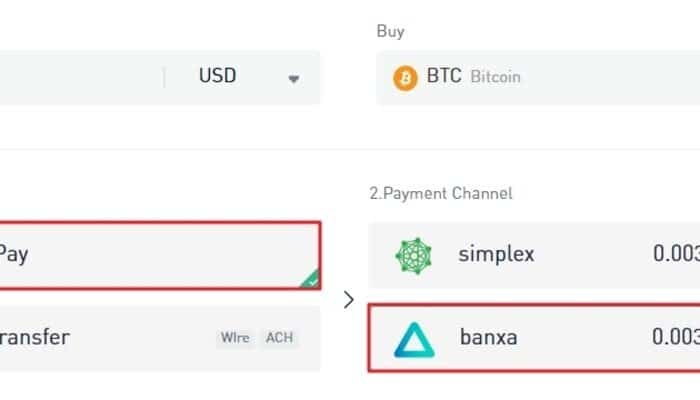
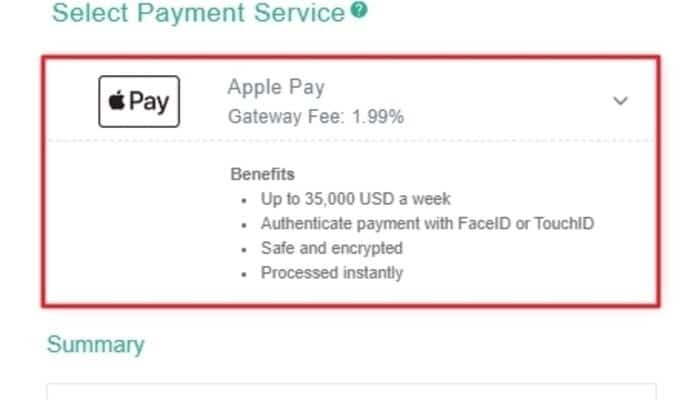
- Select Apple Pay from the list of available options
On the next screen, select “Apple Pay” as a payment option on the Banxa page.
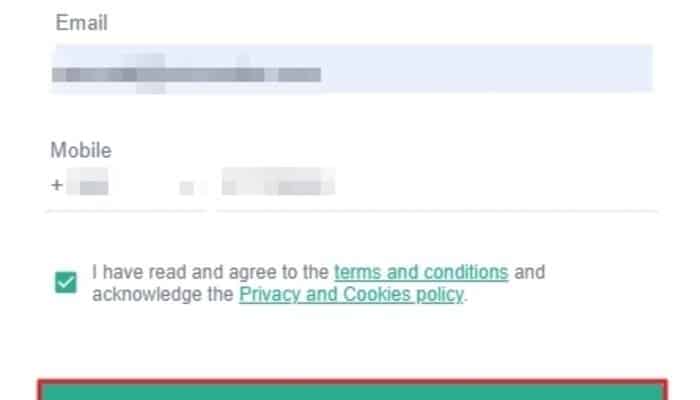
- Enter your email address and phone number
Fill out the required fields with your email and phone number. Click “Confirm” to proceed.
- Verify your personal information
Fill out your address, country of residence, zip code, and other personal information required by Banxa. Click “Submit Verification” after completing the form.
- Confirm payment with Apple Pay
Your Apple Pay application will display your payment details and total amount. If everything looks accurate, confirm the payment using your fingerprint or Face ID on your Apple device.
Additional notes
- The process might differ slightly depending on the platform you choose.
- Remember, buying Bitcoin carries risks, so do your research before investing.
Alternatives
- Other exchanges like Kraken and Coinbase also support Apple Pay for crypto purchases.
- Peer-to-peer (P2P) marketplaces offer another way to buy Bitcoin using Apple Pay.
This guide provides step-by-step instructions for both platforms, including the final confirmation with Apple Pay. It emphasizes checking fees beforehand and reminds readers about the inherent risks associated with Bitcoin investment.
Buying Crypto with Apple Pay – Binance Guide (Non-US)
Looking to buy Bitcoin with Apple Pay but not in the US? Binance supports Apple Pay in its iPhone app once you have verified your identity.
Here’s a simplified guide:
1. Create an account
Sign up for a Binance account if you haven’t already.
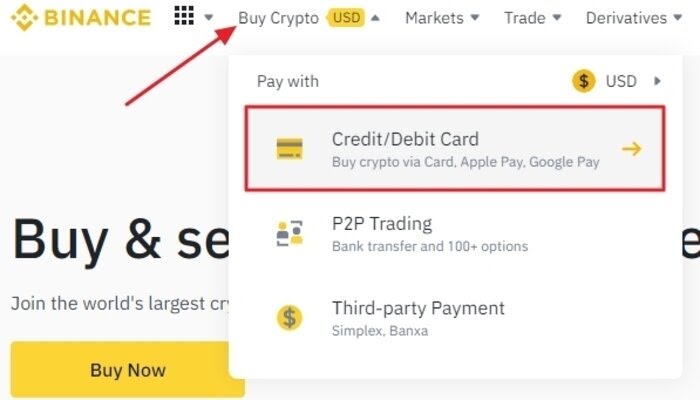
2. Buy Crypto menu
In the Binance app, tap “Add Funds,” then “Buy with.” If you haven’t verified your identity yet, the app asks you to do it at this step.
3. Enter amount
Choose how much Bitcoin ($BTC) you want to buy (e.g., enter the USD amount).
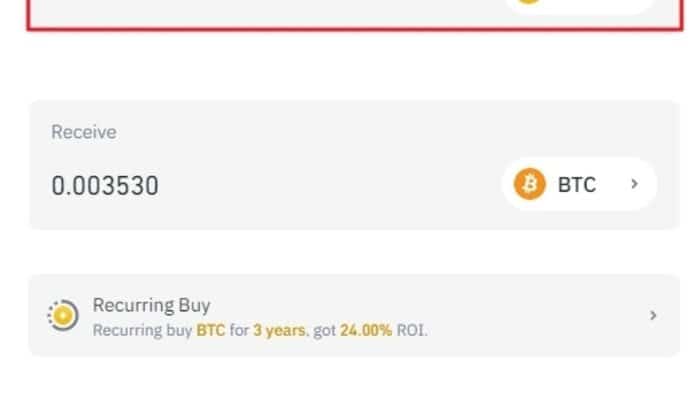
4. Select Apple Pay
From the payment methods, choose “Apple Pay” and click “Continue.”
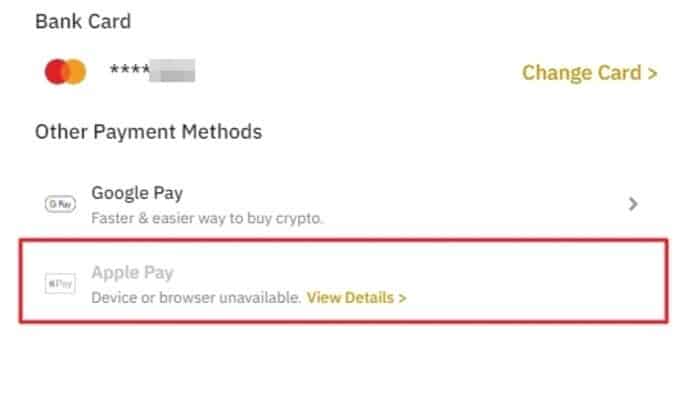
5. Confirm details
Review the order summary (Bitcoin amount and price). If everything looks good, tick the agreement box and click “Confirm.”
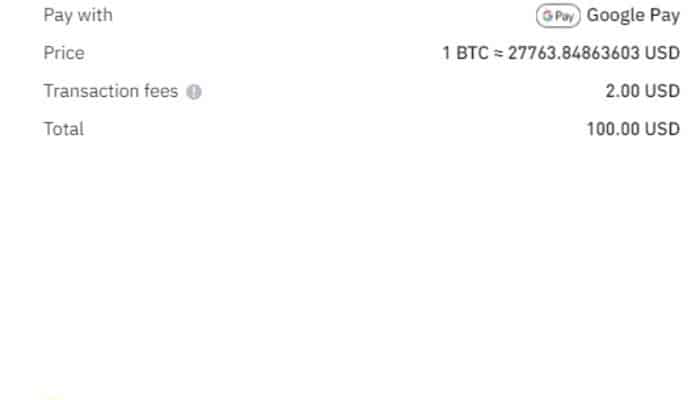
6. Apple Pay confirmation
Your Apple Pay app will show the payment details. Verify the information and confirm using your fingerprint or Face ID.
Alternatives to KuCoin and Binance
2. Other exchanges
Kraken, Coinbase, Crypto.com, Gemini, and Bitstamp also support Apple Pay for Bitcoin purchases.
Fees differ by platform. Bitstamp charges 4% for instant purchases with Apple Pay or a card. Kraken charges 1% on instant buys, plus a payment fee and a spread, and may hold withdrawals for up to 72 hours after a card or Apple Pay purchase. Coinbase, Crypto.com and Gemini show the fee before you confirm and say it depends on your payment method or country. Gemini accepts only debit cards through Apple Pay and stopped serving the UK and Europe in April 2026. (Fees as published in October 2026.)
3. Peer-to-peer (P2P) marketplaces
Paxful closed in November 2025, and NoOnes shut its P2P marketplace in August 2026. Platforms still running include LocalCoinSwap and Hodl. Hodl allows sellers to accept Apple Pay for Bitcoin, offering flexibility but potentially higher fees and less convenience.
Can I use Apple Pay on Crypto.com?
Yes, you can use Apple Pay to buy cryptocurrency on the Crypto.com app. This convenient option allows you to quickly and securely purchase crypto using your Apple device.
You need a locally issued Visa, Mastercard or Maestro card in Apple Wallet. Crypto.com lists nearly 60 markets for Apple Pay, including the US (except New York), the UK and most of the EU. Without a Crypto.com Visa card, Apple Pay purchases are limited to $750 a week.
Additionally, all your Apple Pay transactions will be displayed within the Crypto.com app. This makes it easy to track your crypto purchases and manage your portfolio efficiently.
3 Easy Ways to Buy Crypto with Apple Pay
Looking to buy Bitcoin using your iPhone or Apple Watch? Here are 3 straightforward options:
1. Coinmama
This popular platform is known for its user-friendly interface and support for Apple Pay. However, fees can be higher compared to other options.
Steps:
- Set up a Bitcoin wallet: You’ll need a digital location to store your Bitcoin. Create one before proceeding.
- Visit Coinmama: Head over to their website and choose the amount of Bitcoin you want to buy.
- Complete verification: Provide some basic information to verify your identity.
- Enter your wallet address: This is where your purchased Bitcoin will be sent.
- Choose Apple Pay: Select this as your payment method.
- Finalize the purchase: Confirm the details and complete the transaction using your Apple device.
2. Other Cryptocurrency Exchanges
While Coinmama might be the easiest, several other exchanges also accept Apple Pay. These might offer lower fees or additional features, but the process might be slightly more complex. Explore options like Kraken, Coinbase, or Bitstamp depending on your needs, and research them before committing.
3. Peer-to-Peer Marketplaces
These platforms connect buyers and sellers directly, allowing some sellers to accept Apple Pay. However, these options can be less secure and potentially involve higher fees. Proceed with caution if you choose this method.
Compare Platform Fees Before Using Apple Pay
Remember to do your own research before buying any cryptocurrency, understand the risks and invest responsibly. Compare fees on different platforms that have different fee structures. Compare options to find the best fit for your needs.