Key Takeaways
- In September 2024, POL took the place of MATIC. Polygon PoS automatically transitioned, but the Ethereum-based MATIC may still need updating.
- In order to earn POL staking rewards, one has to use the official application for staking by Polygon to delegate tokens to a validator. ETH will be used for gas fees on Ethereum.
- Exchange staking and liquid staking provide alternative earning options, however, they come with different fees, requirements, and risks of access.
MATIC Now Known as POL: What Changed for Stakers?
In September 2024, Polygon switched its original token MATIC to POL, which is utilized for paying gas fees on Polygon PoS and staking to secure the network. POL is also used for broader purposes in Polygon’s ecosystem and Agglayer.
The migration was carried out at a rate of 1:1, meaning that for any amount of MATIC, the holder received the same number of POL despite not getting the amount of tokens lowered. The migration process depends on the MATIC token’s location.
Staking of POL tokens will happen on Ethereum Mainnet. In order to stake POL in the official Polygon staking app, users need to have their tokens located on Ethereum and not on the Polygon PoS network.
If your POL is situated on the Polygon PoS network, then you have to first bridge it to Ethereum and only then stake your tokens, as outlined in Polygon’s staking guide.
Do I Need to Migrate Old MATIC?
It depends on where your MATIC is.
- MATIC on Polygon PoS. Your tokens will have automatically been migrated to POL at a 1:1 ratio. However, your MATIC token may still be showing in your wallet so you may need to update it to POL. Update the token symbol on your wallet.
- MATIC on Ethereum. You may need to update your MATIC to POL using the migration option on the Polygon Portal. You will want to have ETH in your wallet for Ethereum gas fees.
- MATIC on Polygon zkEVM. You’ll need to bridge your tokens to Ethereum first, then migrate them using the instructions on Polygon.
Staking POL Using the Polygon Staking App
The Polygon Staking app allows POL holders to delegate their POL to validators without running a validator node.
Before using the app, you need:
- POL on the Ethereum Mainnet
- Have ETH in your wallet for Ethereum gas fees.
- Wallet that is EVM compatible (such as Rabby or MetaMask).
- Access to the staking app.
If your POL are on Polygon PoS, you’ll need to transfer your POL from Polygon PoS to the Ethereum network using the Polygon Portal. Double check the route and gas fees.
Choosing a Validator
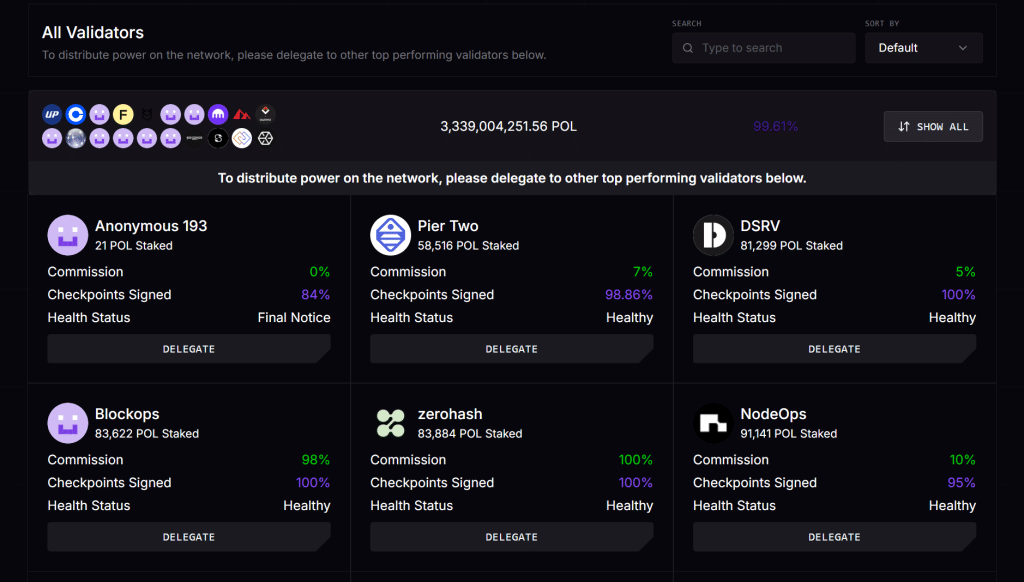
Validators secure Polygon PoS by creating blocks, participating in consensus, and sending checkpoints to Ethereum. Delegators who delegate their POL will receive a share of the validator’s staking rewards.
When choosing your validator, consider the commission, rate and stake breakdown. The lower the commission the better. The validator will have a high checkpoint signing rate & availability.
Also consider the amount of stake the validator is holding, and spread your POL delegation across various validators.
Use the Polygon Staking app to do this. All of the information on validators can be found here, including commission.
Step-by-Step on How to Delegate
To stake POL using the official app:
- Launch the application and link it to your compatible Ethereum wallet.
- Verify that the wallet is connected to the Ethereum Mainnet and holds some POL tokens as well as enough ETH to pay the gas fee.
- Study the validators and pick one based on how efficient it is, commission, and availability.
- Click Delegate to choose the amount of POL that you want to delegate.
- After that, verify the details about the transaction in your wallet and finish the transaction.
- Go back to the staking account and find out whether you have achieved delegation or not.
You don’t need to run a validator node to stake using the wallet, you simply delegate your tokens to an existing validator.
How to Claim and Restake Rewards
You can view your staking rewards using the Polygon Staking app. While your validator is participating, you will earn rewards. However, your delegated amount won’t increase automatically.
If you want to use your rewards, you may need to claim them. If you want to earn rewards on your claimed POL you can redelegate. There may be extra transactions required on Ethereum to claim or restake, therefore you should consider the cost.
How to Stake POL on an Exchange
Some crypto exchanges allow you to stake POL directly from your account. Kraken is one of these crypto exchanges. If you qualify and live in a supported region, you can start staking using the steps below:
1. Create an Account
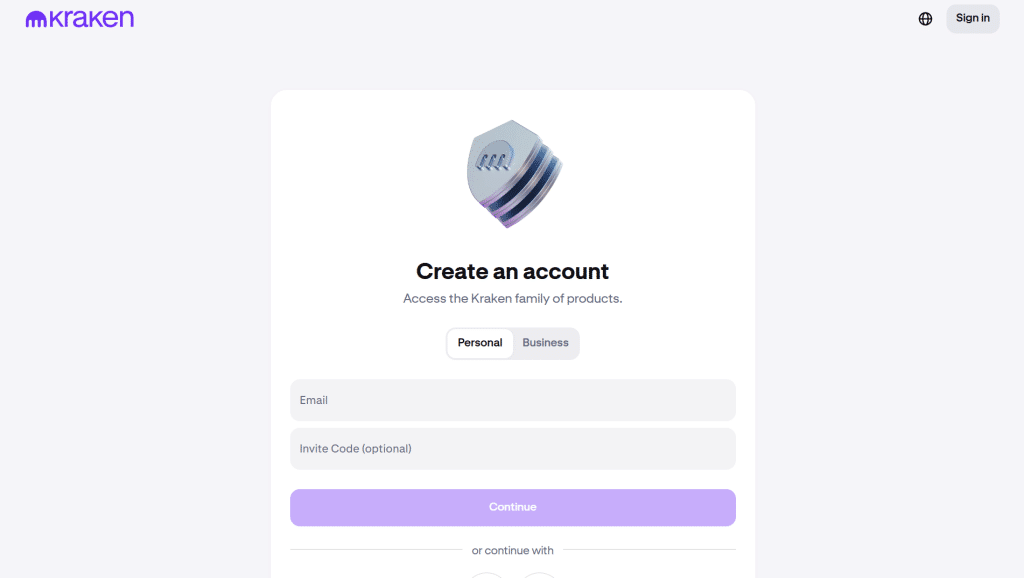
Create an account on Kraken. You will need to verify your identity. You must have a verified account and qualify for on chain staking.
2. Send or Buy POL
Either send or buy POL. If you’re sending POL from your wallet to your Kraken account, ensure that you’re sending it on the correct network. Follow any instructions given by Kraken.
3. Navigate to Earn Tab
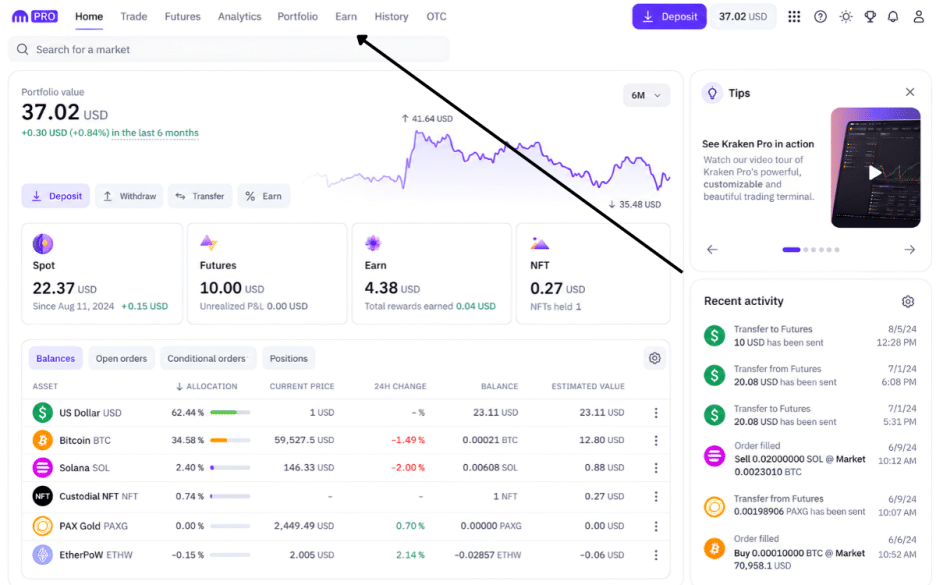
Once you have sent POL to your Kraken account, open Kraken Pro and head to the Earn section. Select POL from the list or use the search function.
4. Enter How Much POL You Want to Stake
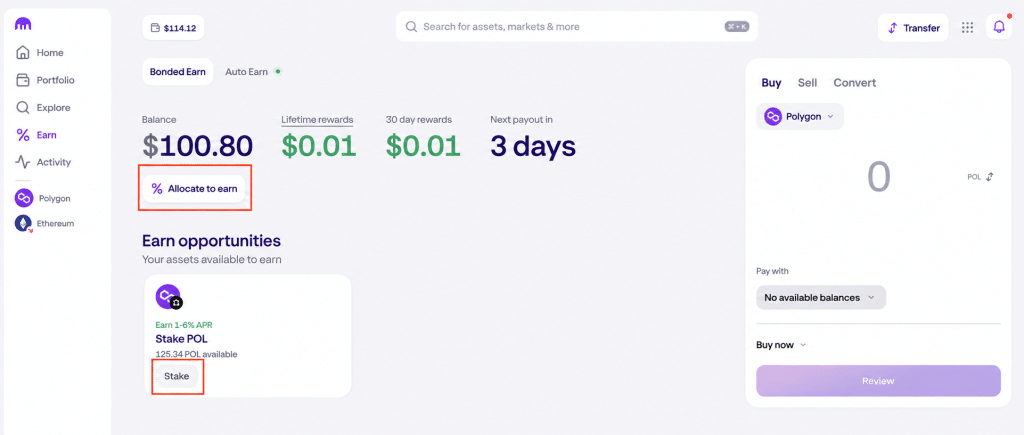
Enter how much POL you want to stake. Review the staking options, rewards, fees and withdrawal rules.
5. Confirm and Start Earning
Review the details and confirm you want to stake. Once confirmed your POL will be staked using Kraken’s staking program. You can view your staking balance and earnings.
Liquid Staking Options for POL
Liquid staking allows you to earn another token to represent your staked position. You will receive a receipt token which can be stored, traded, or used in DeFi applications depending on the provider; sPOL is one option.
It is Polygon’s liquid staking token. Using the official Polygon liquid staking site, the user will send their POL and receive sPOL. sPOL may be higher in price compared to POL due to the accumulation of staking rewards.
sPOL represents staked POL according to the documentation. It can be used in DeFi applications. The APY shown will be approximate but will be subject to change. sPOL does not increase the rate of reward for the network.
There are plenty of other companies providing liquid staking services like Ankr and Stake.link. Always read about their networks, fees, minimum withdrawals, and redemption policy.
Liquid staking will give you more flexibility with your staked position, however there are risks. The receipt token may be worth less than POL.
Unbonding and Risks
When staking POL using Polygon’s staking technology, you won’t be able to instantly get your tokens back. You will need to unbond.
The staking process takes around 80 checkpoints to complete which will take around 3-4 days. This can vary depending on the delay of checkpoints. Once this has occurred, you will be eligible to withdraw your POL.
Other staking processes may have multiple withdrawal times. Multiple staking options on exchanges may have their own waiting times. Liquid staking tokens may be passed/exchanged depending on the provider and liquidity.
Before investing in POL, make sure to consider the following risks:
- Validator Performance – Validators can be unpredictable and earn less profit. It is generally better to monitor validators regularly.
- Smart Contract Risk – Staking products, bridges and liquid staking use smart contracts that may not function as expected.
- Liquidity Risk – With standard staking there is an unbonding period. With liquid staking tokens, they may not be able to be redeemed/exchanged at the expected price.
- Custody Risk – With exchange staking, you’ll need to trust the service provider holds your assets.
- Gas Fees – Gas fees on the Ethereum network and the costs charged by validators and service providers may impact your returns.
Frequently Asked Questions
Here are the common questions regarding staking POL.
Can I Still Stake MATIC?
MATIC has been replaced by POL as the native token on Polygon in September 2024. On Polygon PoS, MATIC has been converted to POL at a ratio of 1:1. If you still have MATIC on Ethereum you can convert it to POL using the migration option on Polygon.
Is There a Minimum Staking Amount?
There isn’t a minimum amount to delegate on the staking app according to Polygon’s staking guide. You will need enough ETH for gas fees. Exchange & liquid staking providers may have their own minimums.
How Long Will It Take to Unstake Everything?
If staking native POL using the Polygon staking app, there will be an unbonding period of approximately 80 checkpoints. This will take 3-4 days. This can vary.
Can I stake POL directly from my wallet?
Yes, you can stake POL using your compatible Ethereum wallet, such as MetaMask or Rabby through the official Polygon Staking app. Keep in mind that your POL must be on the Ethereum Mainnet and you will need to use ETH for gas fees.
More crypto guides: Guides hub · What is cryptocurrency · What is a seed phrase · 7 crypto scams to avoid