Key Takeaways
- In addition to on-chain withdrawals, Coinbase also lets users to cash out their funds on their chosen banks.
- While cashing out to a bank is very convenient, do note that it can cost a lot of fees so make sure you are comfortable with those charges before proceeding.
- In order to get your funds to your bank account, you must convert or sell your crypto first to USD (not the USDC stablecoin) before you can proceed with the withdrawal.
I’m going to show you some options for withdrawing your funds from your Coinbase account and transferring them to your US bank account.
This article will also guide you on which withdrawal options to choose so that you get the best rates and lowest fees, along with tips on how to move forward with the withdrawal process.
Quick steps on withdrawing from Coinbase to your bank account
I will be showing you the quick steps on how you can withdraw your money from your Coinbase account to your bank account. There are only two steps so make sure to follow along.
Step 1: Sell your crypto for cash
To cash out your funds, you will first need to sell your crypto into cash. Do not sell your crypto into the USDC stablecoin because banks do not accept USDC. Make sure to sell it in US Dollars (USD) and then you can transfer your funds to the bank. Additionally, there is no limit on the amount of crypto you can sell for cash.
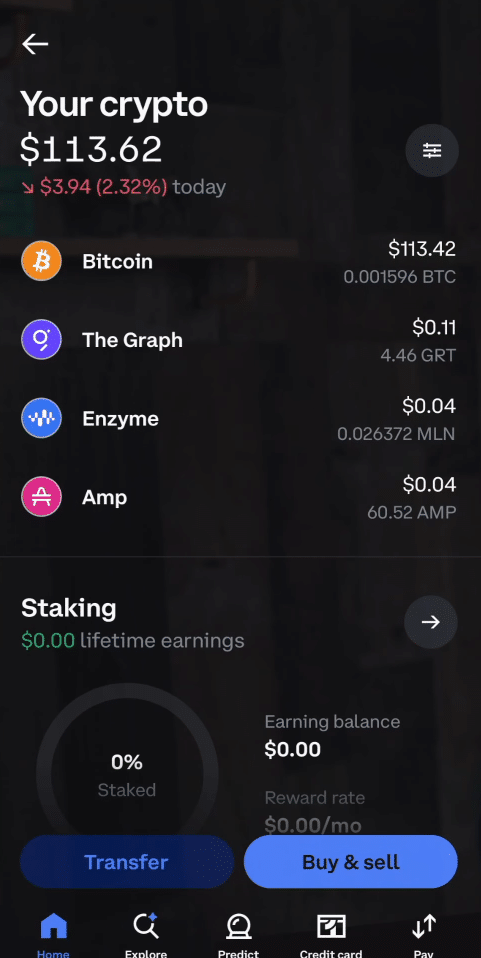
First, go to your assets and choose a cryptocurrency that you want to sell.
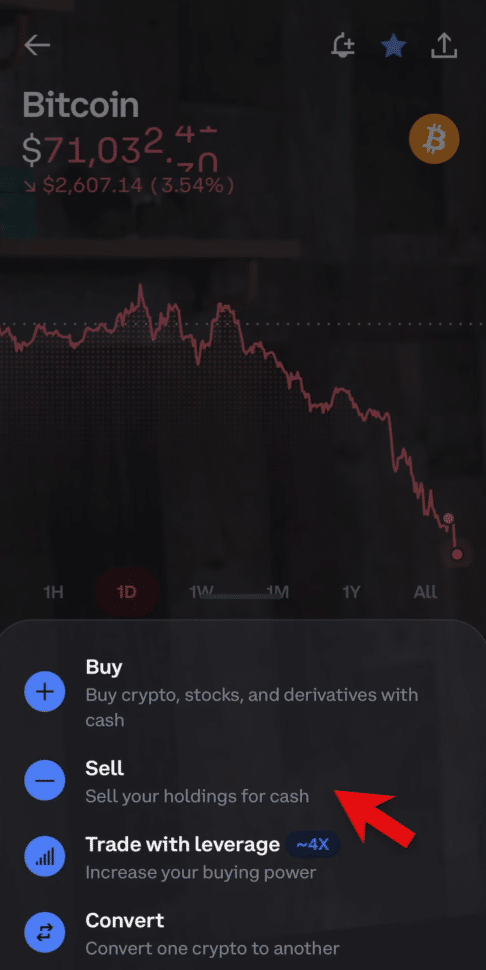
Now that you have chosen a crypto asset to convert into USD, click “Sell.”
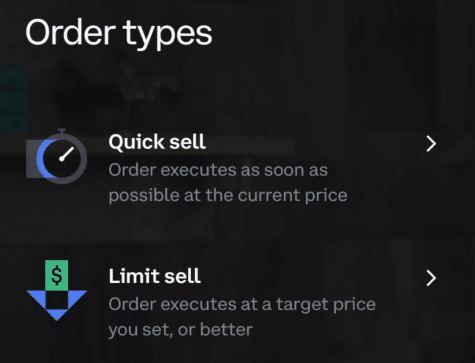
When selling, you have two options. You can do a quick sell or a limit sell. Select the one you want as long as you can sell your crypto for USD.
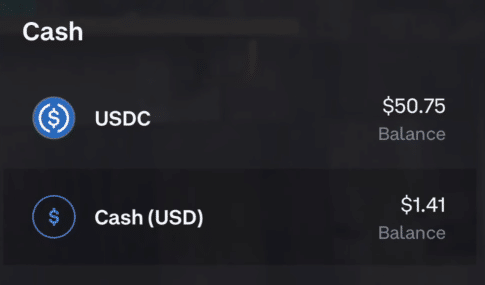
When selling, also make sure to select cash as the currency you want to convert your crypto into.
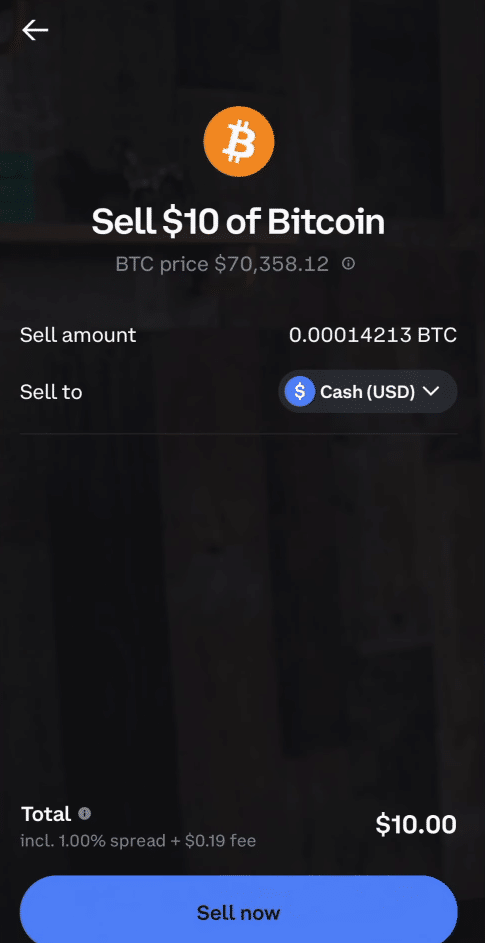
After entering the amount you want to sell, review your order and click “Sell now.”
Once you have sold your assets, wait for it to confirm and click “Done.”

Step 2: Withdraw to your bank
Do note that you are not able to withdraw your USD to your bank account yet as you have to wait a few business days for the transaction to actually settle.
After converting your crypto asset to cash and waiting a few business days, go to your balance to confirm it has converted to USD.
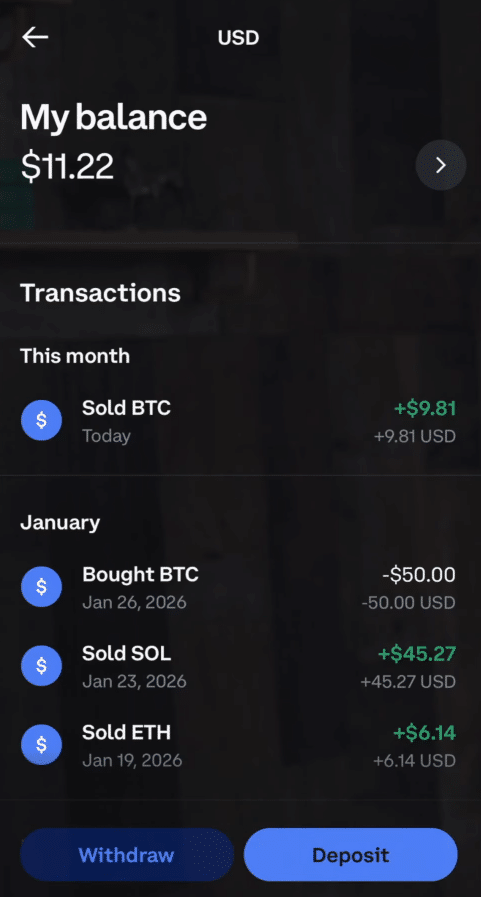
Once you have confirmed that it has settled, click “Withdraw.”
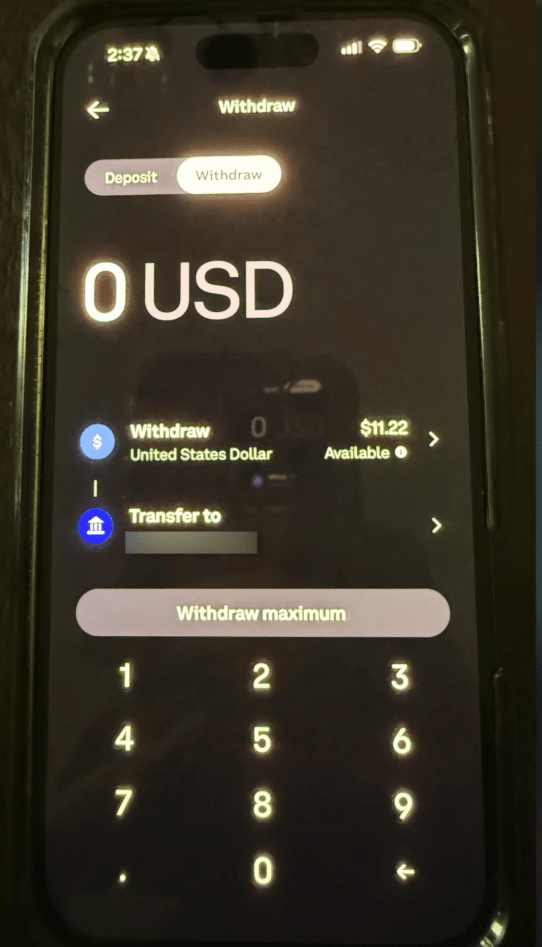
Enter the amount you want to withdraw and select the bank you want to transfer your funds to.
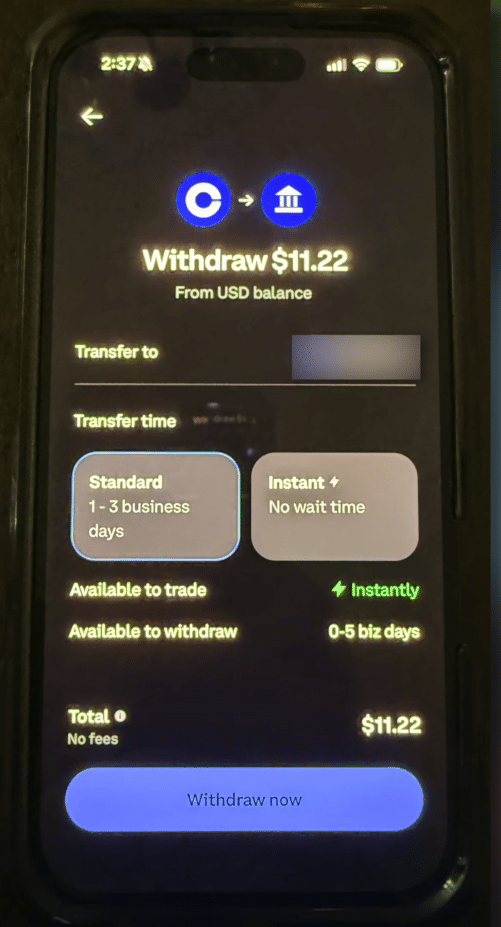
After that, you are given two options to withdraw. You can do the standard option with no fees, but you would need to wait one to three business days for it to actually arrive in your bank account. The other option is the instant withdrawal but you will have to pay fees for it.
After selecting which option you prefer, tap “Withdraw now” and that will send those funds to your bank account.
SEPA (Europe)
Similar to USD, if you plan to withdraw Euros instead of US Dollars, Coinbase users can withdraw through SEPA (Single Euro Payments Area) and receive your money in one to three business days.
ACH and wire (US)
Earlier, I showed you two options if you want to wait one to three business days or choose the instant withdrawal option.
If you select the standard option, you are choosing the ACH (Automated Clearing House) bank transfer. However, if you choose the instant option, that would be a US Fedwire Transfer that would typically cost you $25 per transfer.
Most users would choose the standard option and wait one to three days.
PayPal
If you are planning to withdraw your funds to your PayPal account, the withdrawal typically costs from 2% to 2.5% of the total amount being withdrawn, which is quite expensive if you ask me. I would suggest withdrawing to your bank account and selecting the standard option.
Coinbase Visa Card
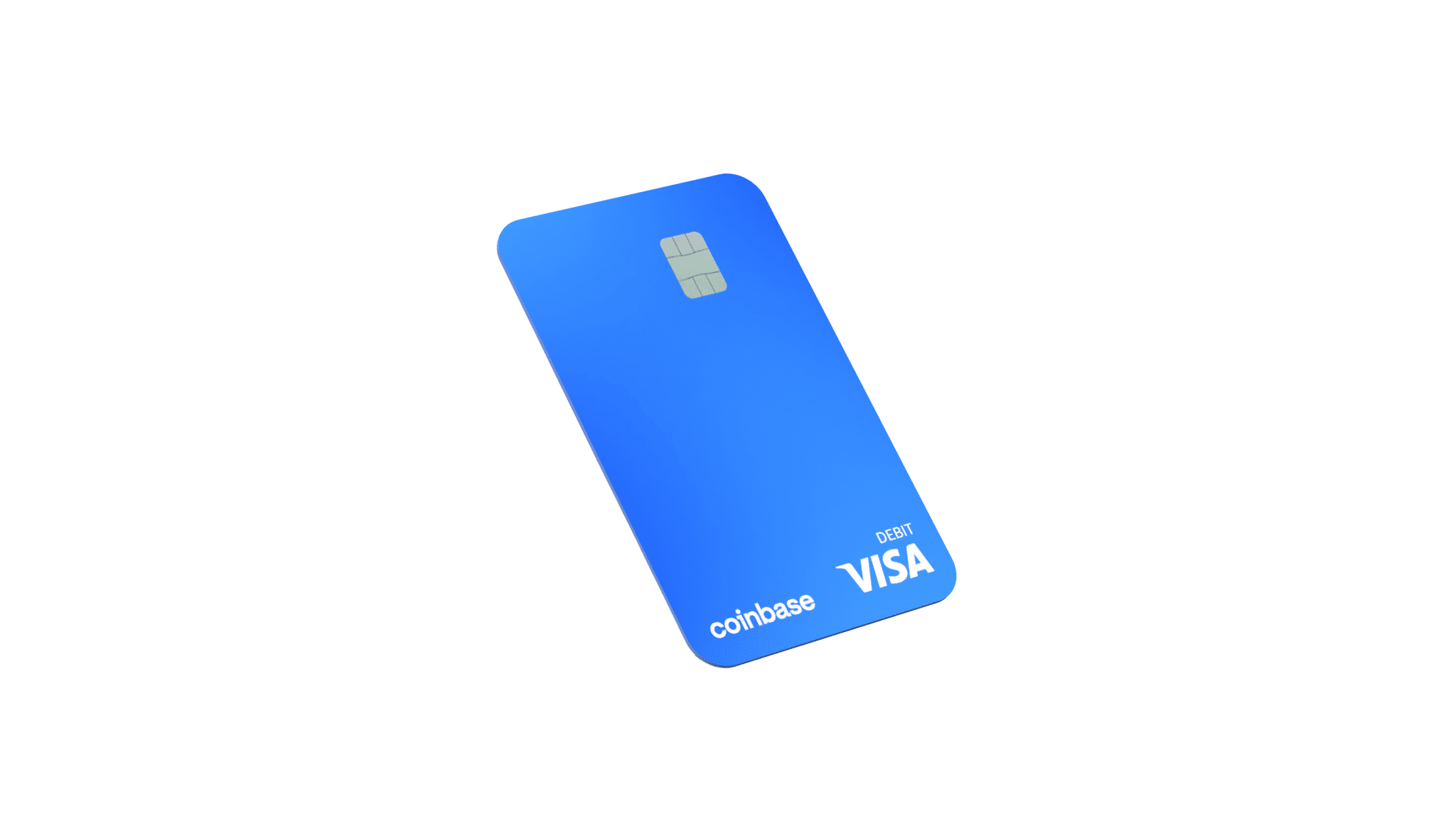
If you plan to withdraw funds to an ATM with your Coinbase card, you won’t have a problem if your funds are in USD or even USDC. There are also no fees when withdrawing through an ATM, but you can only withdraw up to $1,000 per day.
I actually recommend this option because you get your money instantly in cold, hard cash and there are no fees. The only downside is the $1,000 limit.
Withdrawal fees and processing times
| What is the withdrawal method | What is the fee | The processing time |
| ACH bank transfer | Free | 1-3 business days |
| Fedwire transfer | $25 | Instantly or you get it within the day |
| SEPA | Free | 1-3 business days |
| Paypal | 2%-2.5% of the total amount being withdrawn | Instant or takes 24 hours to process |
| Coinbase Visa card | No fees but you can only withdraw $1,000 per day | Instant |
Limits and holds
According to Coinbase’s help center on account limits and withdrawals, your withdrawal limits can change over time depending on your account activity, trading history, payment type, and even region.
If you want to raise your withdrawal limits on Coinbase, you may need to submit additional documents that Coinbase requires in order for you to get a higher verification level and be able to withdraw higher amounts of cash.
Why new withdrawals or deposits may be on hold
If this is your first time withdrawing to a bank account or depositing funds into Coinbase using your bank account, Coinbase may put a temporary hold on your funds for additional verification checks to prevent potential financial risks like fraud, money laundering, and so on.
I know it can be a hassle, but don’t worry as long as you are not doing anything illegal and have documents to provide as evidence if the exchange asks further questions, then your funds should be fine.
Just provide the necessary legal documents that you think Coinbase will ask of you and always be gentle and respectful with Coinbase customer support.
Frequently Asked Questions
Do you have more questions about withdrawing funds from Coinbase to your bank account? Check out the most frequently asked questions below.
How long does a Coinbase withdrawal take?
Withdrawing funds from Coinbase will depend on the withdrawal option you choose. If you plan to withdraw to your bank account and don’t want to pay fees for instant withdrawals, then you will need to wait 1-3 days for it to arrive. Always remember that if you want instant, you will have to pay a fee for it. Coinbase does not have a P2P marketplace in the app like most offshore exchanges do, so your best options are to get a Coinbase Visa card or choose the standard withdrawal option.
Can I withdraw crypto to another wallet instead?
Yes. If you think transferring your funds to your bank account is too much of a hassle and you don’t want to wait one to three business days to get your funds. You can actually just convert your crypto into stablecoins and withdraw your funds to another custodial wallet through on-chain withdrawals. Just make sure you know which blockchain network you want your stablecoins to be on.
More crypto guides: Guides hub · What is cryptocurrency · What is a seed phrase · 7 crypto scams to avoid