Key Takeaways
- Coinbase customers can access their transaction records using either the mobile application or the website and review all their buying, selling, depositing, and withdrawing operations.
- Users have the option of receiving the financial statements in 3 different forms like CSV, HTML, PDF, and custom reports provide the option to select the asset, transaction type, and time frame.
- Crypto withdrawal checks, transaction detail verifications, and network data analysis are done using both transaction IDs and blockchain explorers.
Coinbase keeps track of all your transactions, including all of your crypto purchases, sales, exchanges, deposits, and withdrawals as they are being made. You can access them anytime from your account or obtain your transaction statement that can be used for reference or storage purposes, as well as preparation of your tax returns.
The guide explains how to access your transaction history via the mobile app and desktop version of Coinbase, how to download various reports about your account activity, and how to download the records of your transactions. It also informs users how to find missing statements in their wallet and what the main difference is between the transaction history of a Coinbase account and the activity in a Coinbase wallet.
How to Access Your Transaction History
You have the option to access your transaction history on Coinbase via either the mobile application or the website. Please note that the information you will see will depend on the type of transaction and on the Coinbase product you are using.
On the Coinbase Website
Here are the simple steps on how to access your transaction history through the Coinbase website.
1. Open the Coinbase account in a browser
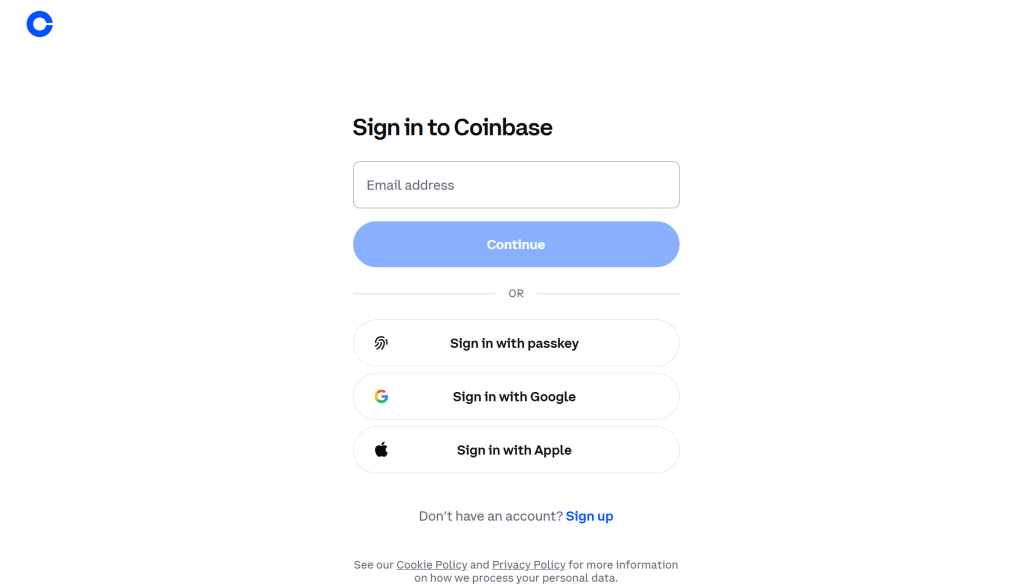
2. Click on your profile icon
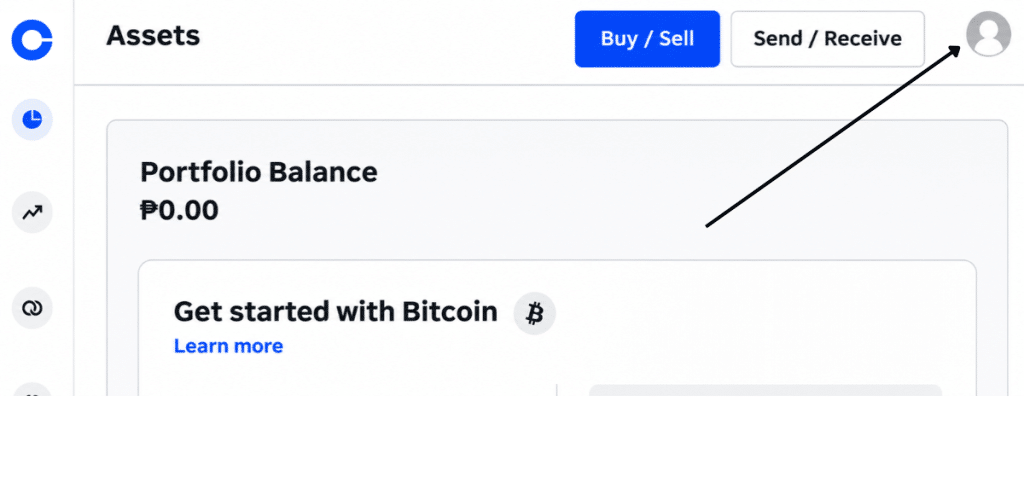
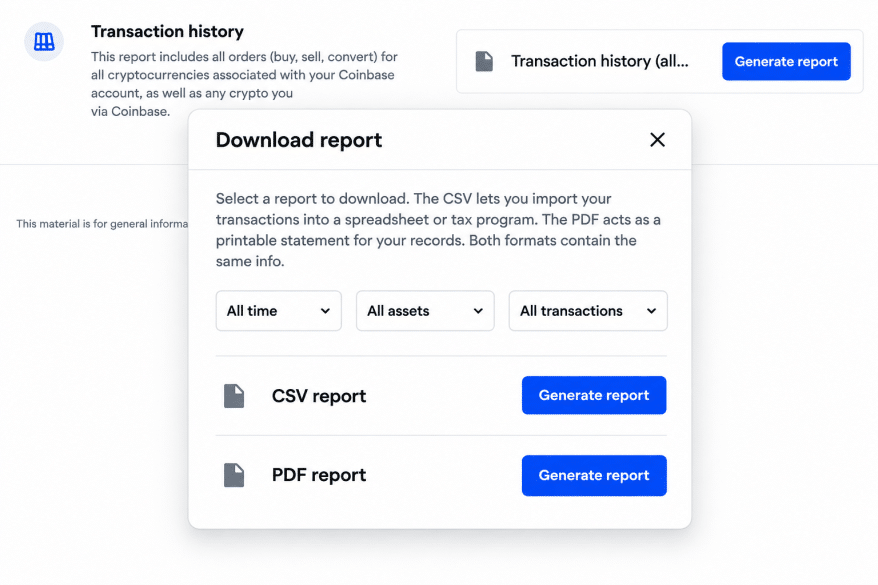
3. Go to the Reports section and open up Transaction History
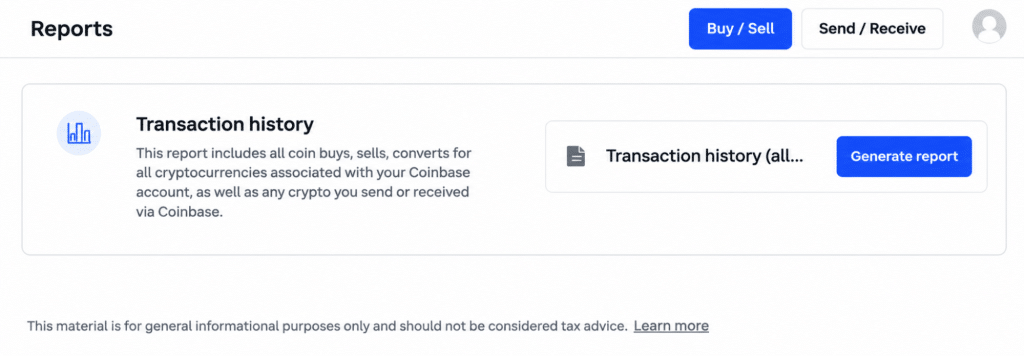
4. Under Transaction History (All Time), click the Generate Report button
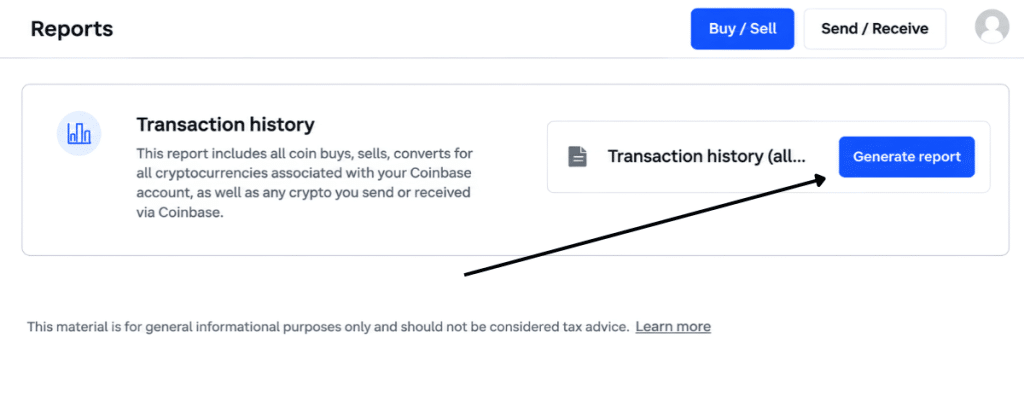
5. Choose your desired file type (PDF or CSV), and click the Generate Report button
In the Coinbase App
Follow these steps to view a cryptocurrency’s transaction history through the Coinbase mobile app:
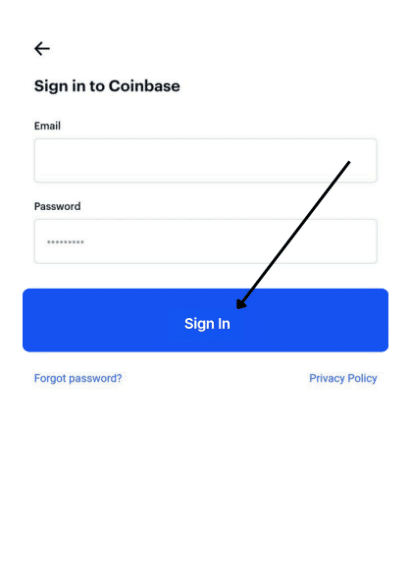
1. Start the Coinbase app on your iPhone or Android and log in to your account
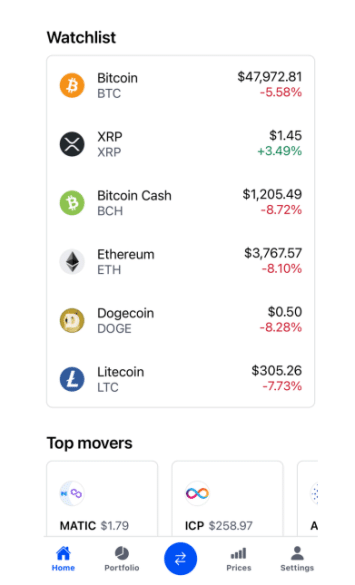
2. Click on Watchlist and select the cryptocurrency of your choice
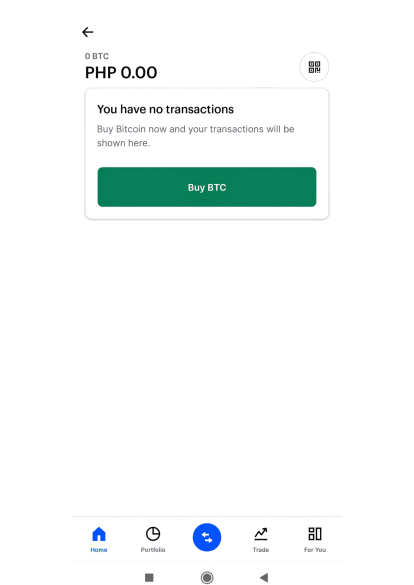
3. Access the respective wallet, such as Bitcoin Wallet (BTC), to check the transactions
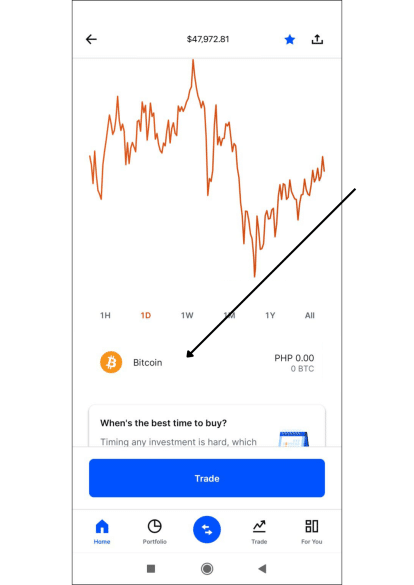
4. Scroll down to see the entire list of transactions
Find a Specific Transaction: Search, Filters, and Transaction ID
In case you’re on the lookout for a specific transaction, try utilizing the search filters instead of scrolling through your entire transaction history.
Coinbase grants users with filters for different types of transactions, their status, asset of the transaction, and the date of the transaction.
- Open the history of all the transactions.
- Select the involved asset.
- Choose the time period of the transaction.
- Select the type of the transaction or the status of the transaction.
- Go through the resulting transactions.
- Select a specific transaction to see its details.
If the transaction is not found, check whether you are looking at the right Coinbase product.
Finding the Transaction ID
A transaction identifier, which is sometimes referred to as a transaction hash or a transaction hash ID, is defined as the distinct identification mark assigned to any transaction within blockchain technology.
This identifier becomes very important when you are in the process of confirming either a crypto deposit or withdrawal. Its usage allows you to get the following information:
- Info on address sending and receiving
- Transaction sum
- Transaction date and time
- Network fee
- Confirmation status
Steps to find the transaction hash on Coinbase:
- Open ‘Transactions’ on the site or on the app.
- Select an asset that takes part in the transaction.
- Open the transaction details.
- If possible, click on ‘View on the block explorer.’
- Search for the transaction hash.
By using the transaction hash, you will be able to verify that a transaction has been confirmed on the blockchain; however, it does not establish that the funds have been sent to the right account.
Monitor a Cryptocurrency Withdrawal on the Blockchain
After you perform a withdrawal with digital currency from Coinbase into a different wallet, you have the chance of tracking information about the transaction on the blockchain.
By using a blockchain explorer, you will be capable of monitoring the status of the transaction. However, the explorer depends on the network utilized for the transaction.
| Cryptocurrency or network | Explorer |
| Bitcoin | Blockchain.com Explorer |
| Ethereum | Etherscan |
| Solana | Solscan |
| Base | BaseScan |
| Litecoin | BlockCypher |
These are examples. It is important to use a browser that has the capability to handle the network chosen for your withdrawal request.
Missing Transactions: What to Check
In case you do not see a transaction on Coinbase, it is better to look into the following options before reaching out to the support team.
1. Verify your account
Confirm that you are logged into the exact Coinbase account you used for making the transaction. In case you have more than one account, it is possible that the transaction was recorded under a different one.
2. Check the activity of the asset
Start by selecting the currency in question and look through its history of activity as it might be easier to locate a particular deposit, withdrawal, or exchange from there.
3. Check the date range
In case you are working with any customized report or filtered history, it is essential to make sure that the date of the transaction is among the range that you selected for your report.
4. Verify the transaction status
Transactions in progress might not be visible as completed ones. Verify their status along with their details.
5. Check the proper Coinbase service
Coinbase.com, Coinbase Exchange, and Coinbase Wallet all maintain separate records of transactions. Hence, it is possible that you may notice transactions occurring in one of the services which you may not see in any of the other two services.
6. Check out the transaction via a Bitcoin blockchain explorer
In case you want to verify if your crypto transfer has been successfully made, you can use its transaction hash or receiving address to search for it in the blockchain. Make sure to select the right network for this purpose.
7. Go over your statements
In case you are looking for an old transaction, you may check your monthly statements or generate a custom statement. According to Coinbase, account statements can be requested from the moment of account opening.
If you are unable to locate the transaction, contact Coinbase support. Provide them with all relevant information including the date and amount of the transaction and the investment. Also, don’t forget not to give your recovery phrases, passwords, or private keys.
Frequently Asked Questions
Here are the most common questions about Coinbase transaction history.
How many years of transaction history does Coinbase keep?
According to Coinbase, the records that they provide are from the moment of opening the account. You can download the past available monthly statements or create your own statements by applying filters for a specific account and type of operation.
The records available in the app may not match the statements issued by Coinbase. If you want to see the activity performed earlier, make sure to check the Statement section on the website.
Can I access the information regarding a closed account?
Coinbase supports the idea that account statements are available starting from the day of account creation, but there is no guarantee that customers with closed accounts will be able to access their records.
If your account is closed and you cannot access it anymore, you should contact Coinbase Support inquiring whether they can provide you with your transaction statements. Make sure that you are ready for possible procedures of identity verification that Coinbase might require.
Is it possible to download transaction history from Coinbase in CSV format?
You can do so. Coinbase provides the CSV statements for basically all the types of transactions. To obtain such a statement, go to ‘Statements’, find a given statement for the period you need, and then choose the option of exporting it as CSV if possible.
Can I download Bitcoin and Ethereum transactions separately?
Certainly. You can generate a custom statement by choosing an asset and the period you are going to analyze. You can select Bitcoin or Ethereum and set the required time.
Where can I find my Coinbase withdrawal transaction ID?
You should first access your Coinbase account and then view the withdrawal in your transaction history. Once you see the transaction, you can obtain the transaction hash from the blockchain explorer of the network used for the transfer.
What should I do in case if I cannot find the withdrawal on the blockchain?
It means that the withdrawal is either still pending or not sent to the network yet. First, confirm the transaction status in Coinbase and if the transaction hash number is available, use it for the status and confirmation check using the blockchain explorer.
More crypto guides: Guides hub · What is cryptocurrency · What is a seed phrase · 7 crypto scams to avoid