Key Takeaways:
- Hardware wallets like Ledger and Trezor keep your private keys offline for maximum protection.
- Software wallets like MetaMask let you interact with DeFi apps instantly.
- Your single Ethereum address works for ETH and thousands of different tokens.
You need to make one big decision when setting up an Ethereum wallet. Will you control your own keys or let someone else hold them? Self-custody puts you in charge. Custodial services handle security for you.
Most experienced crypto people run both types. Big holdings sit on hardware wallets. Pocket change stays in software wallets for quick access. This split gives you security where it counts and convenience when you need it.
What you plan to do with crypto matters here. Trading every day means software wallets make more sense. Buying and holding points toward hardware. We’ll walk through setting up both and help you figure out what fits.
Which Type of Wallet Should You Pick?
Ethereum wallets break down into two main camps. Each works better for different things.
Hardware wallets are physical gadgets that store your keys offline. You only connect them when you need to make a transaction. Ledger and Trezor dominate this space. They’ve been around for years and have solid track records.
Software wallets live on your phone or in your browser. They’re always online and ready to go. Super handy but a bit riskier than hardware. MetaMask and Trust Wallet are the big names here.
Here’s what smart users do. They use hardware wallets for serious money. Software wallets handle their spending cash and DeFi stuff. This way your life savings stay locked down tight.
Consider a few things before choosing:
- Your stack size: Holding over $1,000 probably justifies buying hardware
- Your trading habits: Using DeFi protocols daily favors software
- Your comfort with tech: Hardware needs more initial setup
- How you sleep at night: Some folks just feel better with offline storage
You can always start with one and add the other later. Plenty of people begin with free software wallets. They grab hardware once their holdings grow past a certain point.
How Do You Get a Hardware Wallet Running?
Hardware wallets offer top-tier security. Getting one set up takes maybe 20 minutes max.
Buy straight from the company’s website. Ledger and Trezor both ship globally. Skip Amazon and eBay completely. Tampered devices have shown up there before and people lost everything.
Connect your new device to your computer with the USB cable in the box. Some newer ones like the Ledger Stax do Bluetooth too. The screen powers up and guides you through each step.
You’ll pick a PIN code first. Use the device buttons or touchscreen to enter 4 to 8 digits. This stops thieves who steal your physical device. Three wrong guesses and it wipes itself clean.
The device creates your seed phrase next. You’ll see 12 or 24 random words pop up. Grab the recovery card from the box and write these down immediately. Order matters big time here.
Store this paper somewhere seriously safe. A fireproof safe works great. Some paranoid folks stamp words into metal plates. Metal survives fires and floods that turn paper into mush.
Newer 2026 models have this Clear Signing feature. The Ledger Stax and Trezor Safe 5 actually show you what a transaction does in plain English. No more blind signing of sketchy smart contracts.
Download the companion app on your computer. Ledger Live for Ledger devices. Trezor Suite for Trezor. These apps help you track balances and add different blockchain support.

How Do You Set Up a Software Wallet?
Software wallets get you up and running way faster. Most people finish in under 5 minutes.
Head to the official MetaMask website for a browser extension. Works on Chrome, Firefox, and Brave. Phone people can grab Trust Wallet or MetaMask’s mobile app from official stores.
Hit “Create a New Wallet” when you first open it. The software spits out a unique address starting with 0x. That’s your account number for receiving stuff.
You’ll get a seed phrase just like hardware wallets. Write those 12 or 24 words on paper right now. No screenshots. No saving in notes apps. Just old-school pen and paper.
Create a password for the app too. This locks your wallet on your specific device. Someone needs both your device and password to break in.
Software wallets really shine for DeFi and NFT action. Connecting to apps takes one click. Even hardware wallet users connect through MetaMask sometimes. Gives them the easy interface with hardware security backing it.
Your ETH balance shows right up top. All your tokens list below that. Swapping tokens happens right in the wallet. Sending funds is quick and painless.
How Do Different Tokens Work in One Wallet?
Here’s where Ethereum gets simpler than most people expect. One address holds everything.
Most tokens follow the ERC-20 standard. They all arrive at your same 0x address with your ETH. You don’t juggle multiple wallets for different coins. Everything lands in one spot.
Share your Ethereum address and people can send you anything. ETH, USDT, LINK, whatever. All arrives at that same address. Pretty convenient actually.
You need some ETH on hand for gas fees though. Moving any token costs a bit of ETH for network fees. Even transferring USDC requires some ETH to cover gas. Keep a small amount ready always.
Sometimes tokens don’t appear automatically. Your wallet might not recognize newer ones yet. Find the token’s contract address on Etherscan. Hit “Import Token” in your wallet. Paste the address and it pops up in your list.
Different blockchains need you to switch networks. Binance Smart Chain tokens won’t show in Ethereum view. Switch to BSC network in MetaMask. Your same address works across compatible chains. You just view them separately.
What Security Steps Actually Matter?
Good security keeps your crypto safe. Bad security means you’re one mistake away from losing everything.
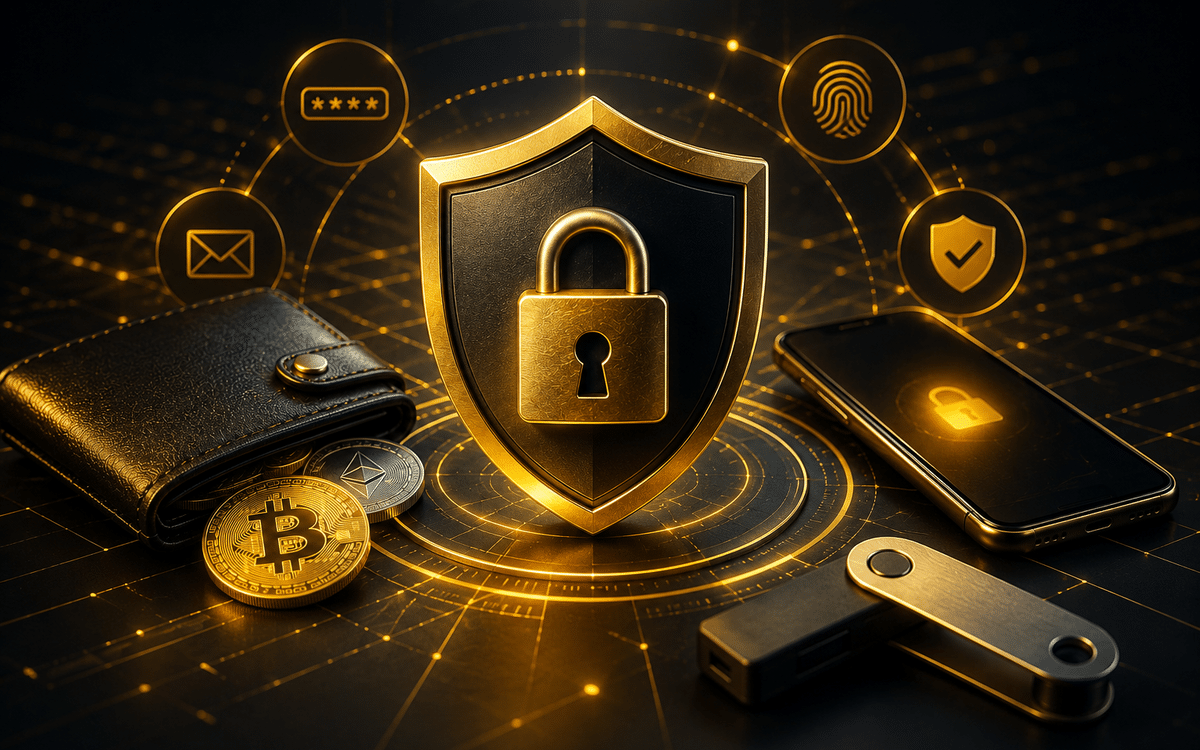
Never save seed phrases digitally anywhere. No screenshots ever. No password apps. No cloud anything. Paper or metal only. Hackers find digital copies too easily.
Make burner wallets for risky stuff. Set up a separate wallet with maybe $50 for testing new apps. Your main money stays elsewhere. Malicious contracts can only grab what you connect.
Phishing scams run constantly in crypto. Legit wallet companies never ask for your seed phrase. Not in emails. Not through support. Never. Anyone asking is running a scam.
Enable 2FA on exchange accounts. Coinbase and Gemini both support it. Use authenticator apps like Google Authenticator. SMS codes get stolen through SIM swaps all the time.
Check smart contract permissions occasionally. Sites like Revoke.cash show what apps can access your tokens. Remove old permissions you’re not using. They’re basically open doors for hackers.
Keep everything updated. Wallet apps push security fixes regularly. Your device’s operating system matters too. Old software has known holes hackers exploit constantly.

What Mistakes Wreck New Users?
Beginners make the same errors over and over. Learning from others saves you major headaches and money.
Losing seed phrases tops the disaster list. Write them down immediately when creating wallets. Store them safely before doing anything else fun. People get excited and skip this step. Phone breaks and everything’s gone permanently.
Sending to wrong networks kills funds forever. Ethereum to a Bitcoin address vanishes completely. Always verify the network before hitting send. Wallets show warnings but people ignore them constantly.
Gas fees surprise everyone at first. Ethereum transactions during busy times cost $20 or more easily. Check current prices before transacting. Wait for cheaper periods when possible.
Connecting to random dApps creates vulnerabilities. Each connection grants permissions. Shady sites silently drain approved tokens. Only connect to platforms you know and trust.
Leaving big amounts in hot wallets is risky. Software wallets work great for pocket money. But they’re online 24/7. Move serious holdings to hardware storage instead.
Single backup copies aren’t enough protection. Fire or water damage could destroy your only copy. Make several backups. Store them in different physical locations. Metal beats paper for durability. Learning proper backup and restore techniques prevents most disasters. Understand the process before you desperately need it.