Key Takeaways
- Users of Trust Wallet can usually find their recovery seed phrase in the settings, as long as their wallet is logged in on their phone or browser extension.
- If you created a Trust Wallet account before, the wallet platform usually gives you 12 words to memorize or to write down on a piece of paper.
- Trust Wallet does not provide 18-word or 24-word recovery seed phrases, but the platform can import those from other compatible wallets like Ledger.
In my previous article about Trust Wallet, we recently discussed how to use the wallet platform on a personal computer or laptop.
Now for this article, we are going to discuss how to find your recovery phrase on Trust Wallet on mobile and the browser extension, how to back it up, and how to restore it if you get a new device.
What the recovery phrase is (and why it is your wallet)
Your crypto wallet exists on blockchain networks where transactions are permanent and irreversible. You are your own bank, which means you are responsible for protecting your assets.
When you create a crypto wallet, you will receive a unique seed phrase (typically 12 or 24 words, but Trust Wallet usually provides 12 words) that acts as the master key to your wallet and funds.
The seed phrase you receive when you first create a wallet lets you restore access to it even if you get a new device or reset your phone. Without it, a lost seed phrase means a lost wallet forever. And if that wallet had funds in it, those are lost as well.
Notably, device failures happen unexpectedly. Phones break over time, get stolen, or become corrupted. If you have Trust Wallet on your PC, your hard drive can crash too. In other scenarios, natural disasters can also destroy physical devices.
So your seed phrase backup acts as insurance against these scenarios, giving you peace of mind that your crypto remains accessible.
Recovery phrase versus password versus private key
Before we get started, let me differentiate between recovery phrases, passwords, and private keys.
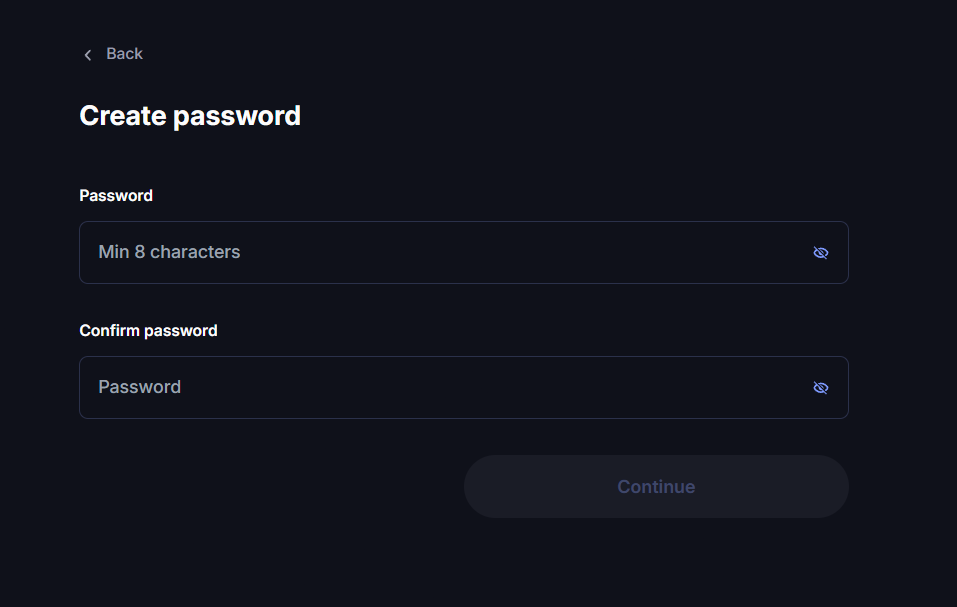
First, passwords are a local security measure on your phone or browser extension before you reach your wallet’s homepage. You can even use different passwords on your phone and in your browser extension, and it will not affect your wallet.
Second, your recovery phrase is an important mnemonic you need to memorize or write down on a piece of paper so you can restore your wallet whenever you switch to a new device.
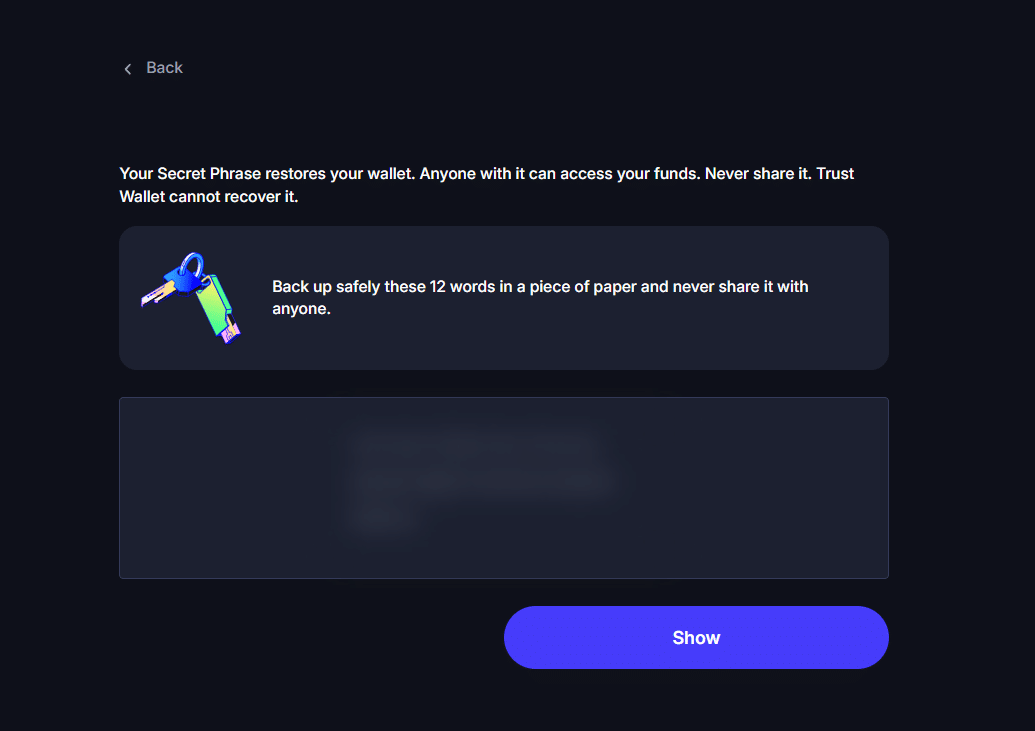
Third, a private key is a unique alphanumeric code that you should not let anyone see. You don’t need to worry about it because Trust Wallet does not display private keys in the settings. What you only need to take care of with your life is your 12-word recovery phrase.
How to view your recovery phrase in Trust Wallet in mobile app and extension
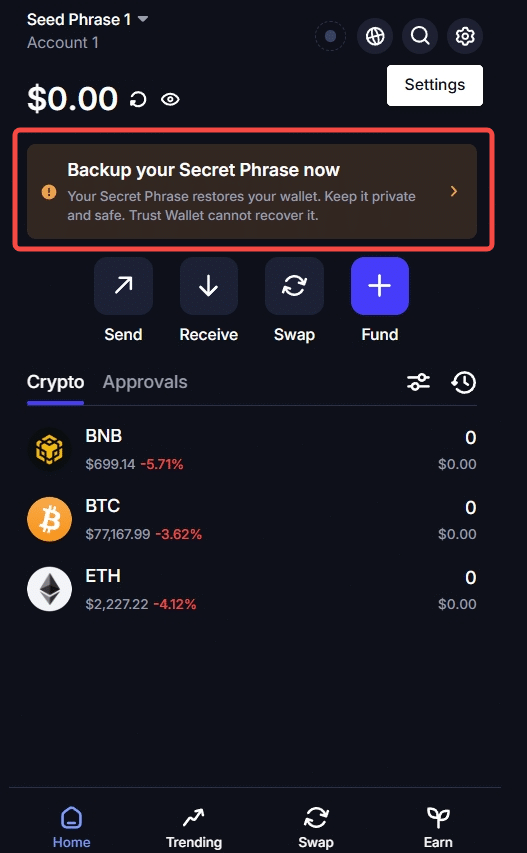
First go to the homepage of your Trust Wallet and you will see a notice board saying “Backup your Secret Phrase now.” Click it.
Trust Wallet will then provide you with the twelve words after clicking “Show” and entering your password.
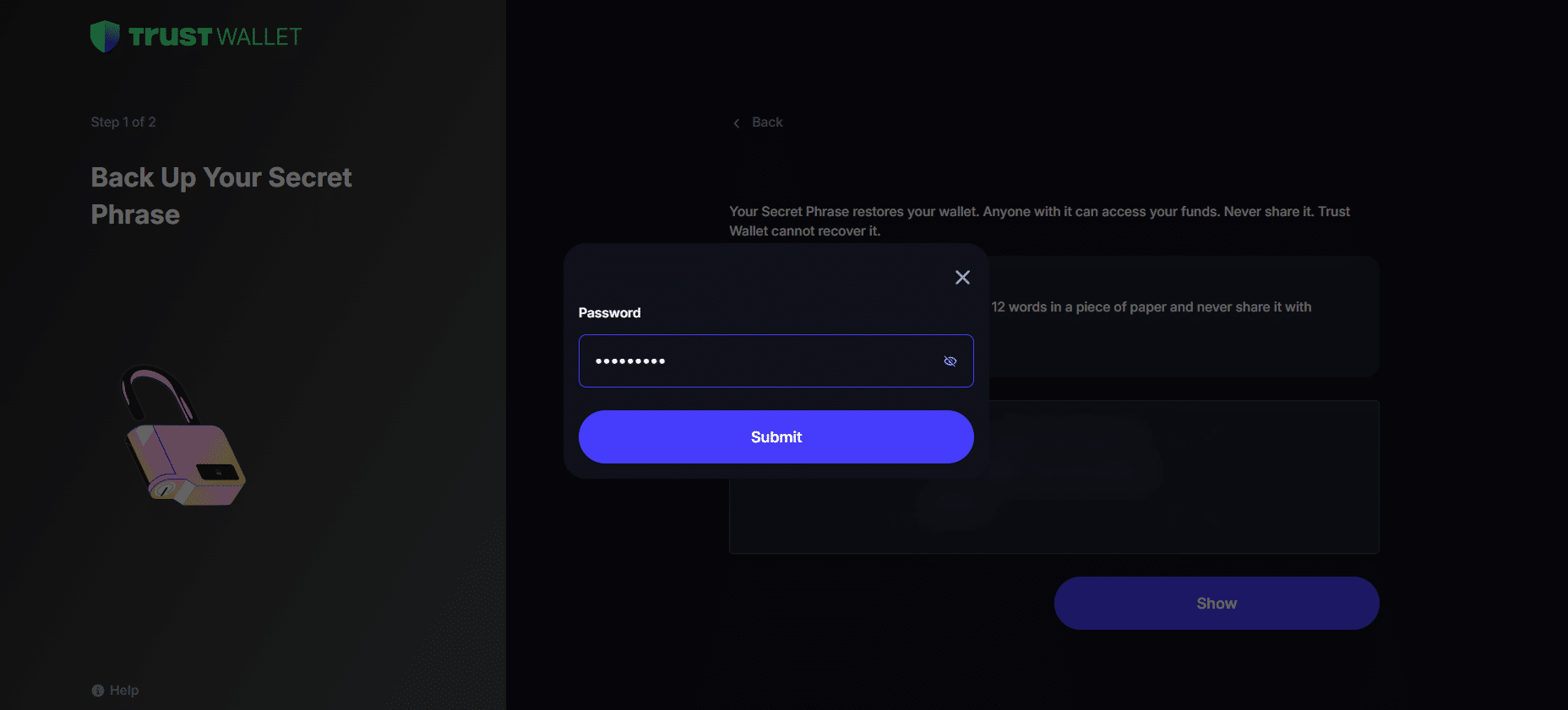
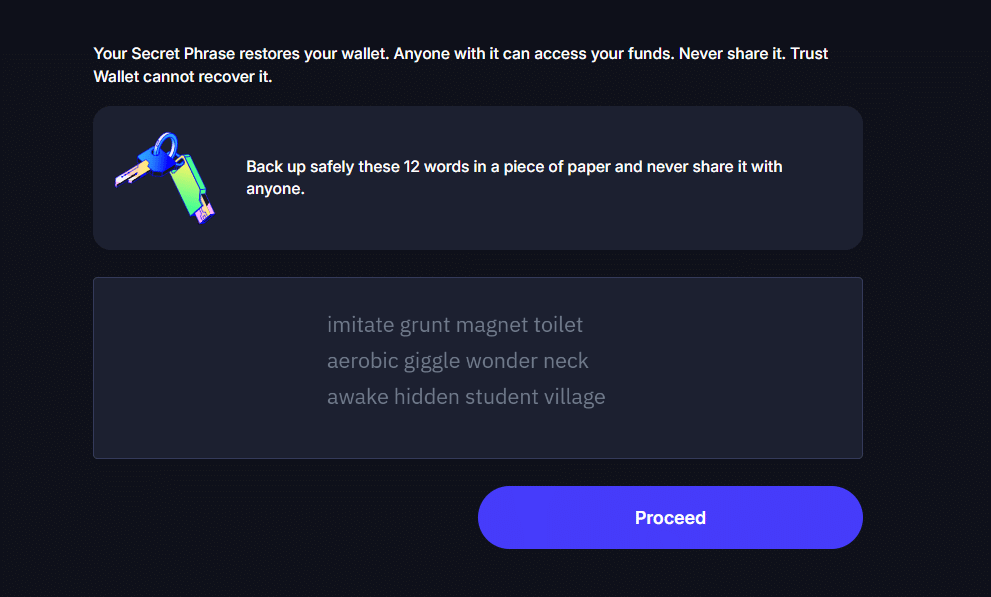
Then Trust Wallet will show you the twelve words to write down on a piece of paper. For the sake of this tutorial guide, this is a newly generated wallet. Don’t use this anymore as this wallet is already compromised the moment I published this article.
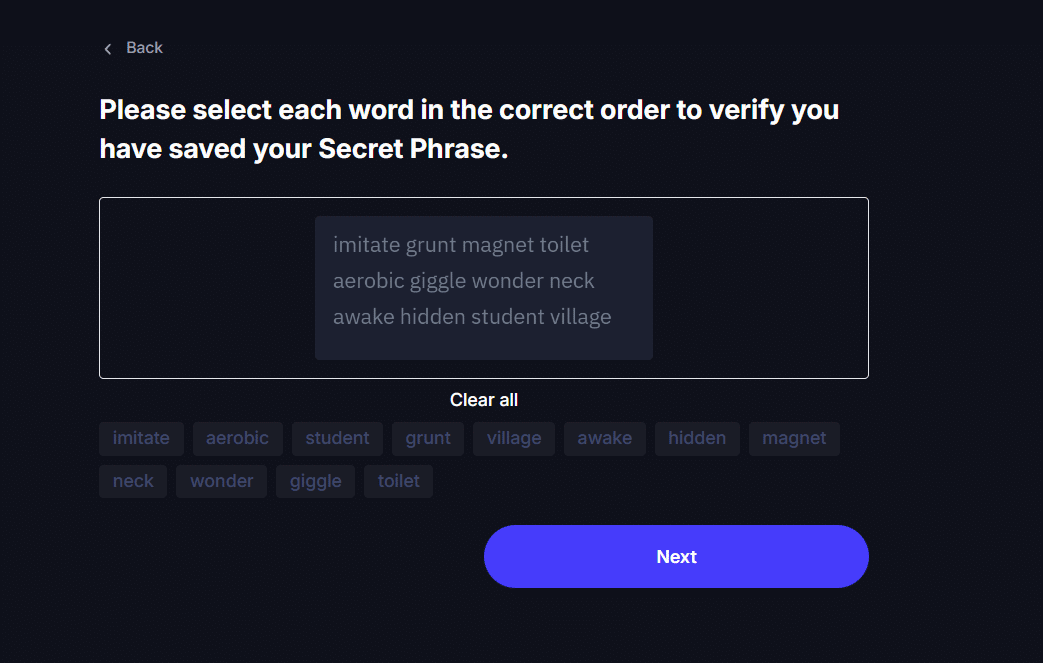
Trust Wallet will then double-check whether you have written down your recovery phrase. After clicking “Next,” then you are done and have successfully backed up your seed phrase.
How to back it up safely
Earlier, I mentioned that you can write it down on a piece of paper, but you can also use other options, since we all know paper turns yellow and old over time.
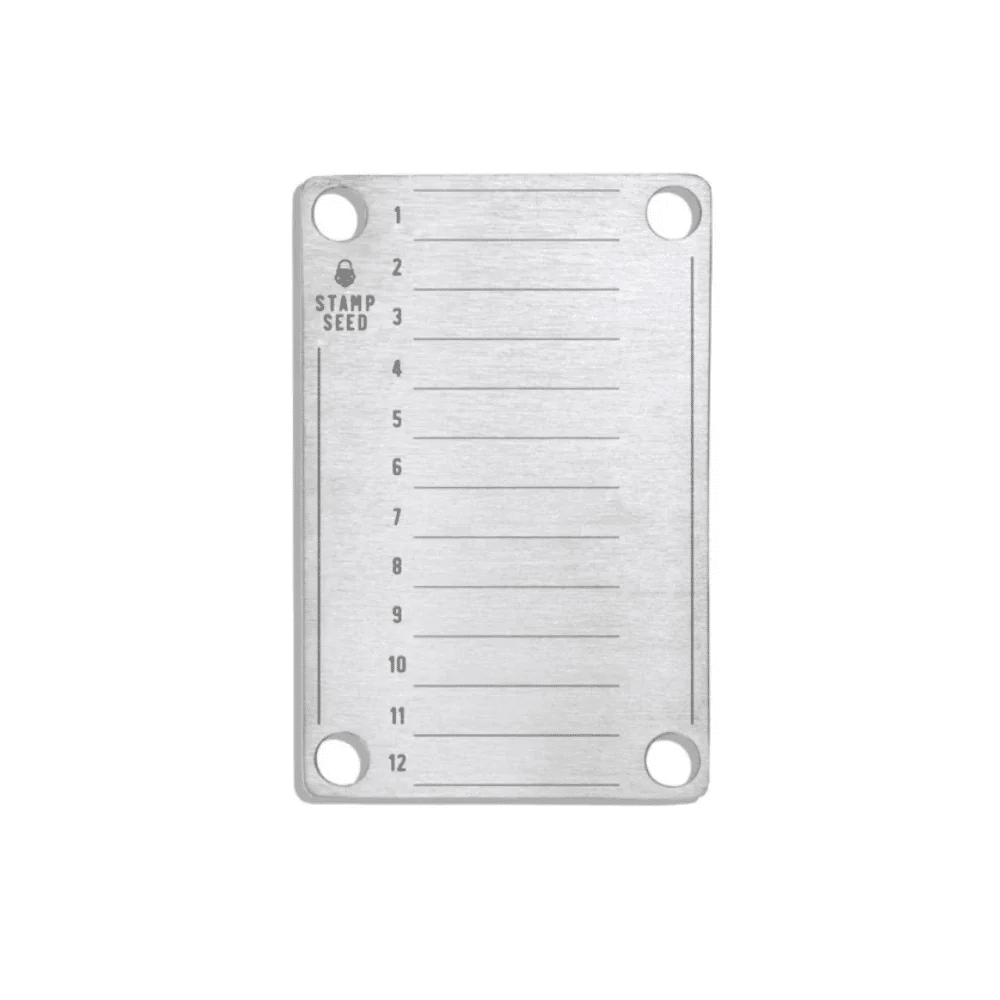
Metal backups
You can order metallic cases on Amazon or eBay to back up your seed phrase. Metal backups are better than paper because they are more resilient to environmental changes over time.
The risks of cloud and screenshot backups
I need to warn you that screenshotting your seed phrase and uploading it to the cloud, like Google Drive, is the riskiest way to store it.
Imagine this, Binance got hacked for $6.3 billion recently all because of an employee’s compromised laptop. How much more if you keep a virtual screenshot of your phrase in the cloud?
How to restore Trust Wallet with the phrase in your phone or browser extension
Let’s say you switched to a new device and want to restore your current wallet. Here’s what you need to do.
Go to the starting page of Trust Wallet and tick the “I have read and agree to the Terms of Use and Privacy Policy.” After that, click “I already have a wallet.”

Then you have to create a new password.
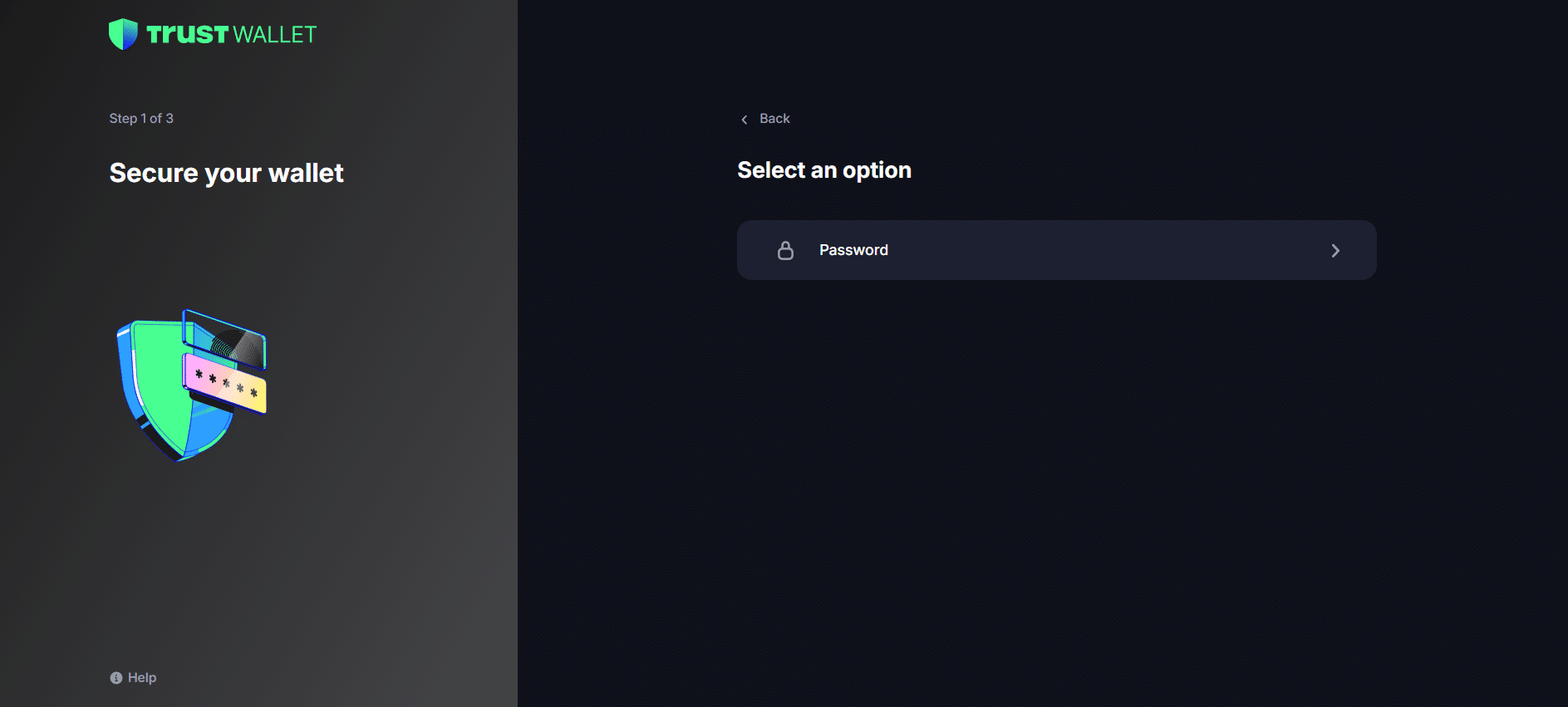
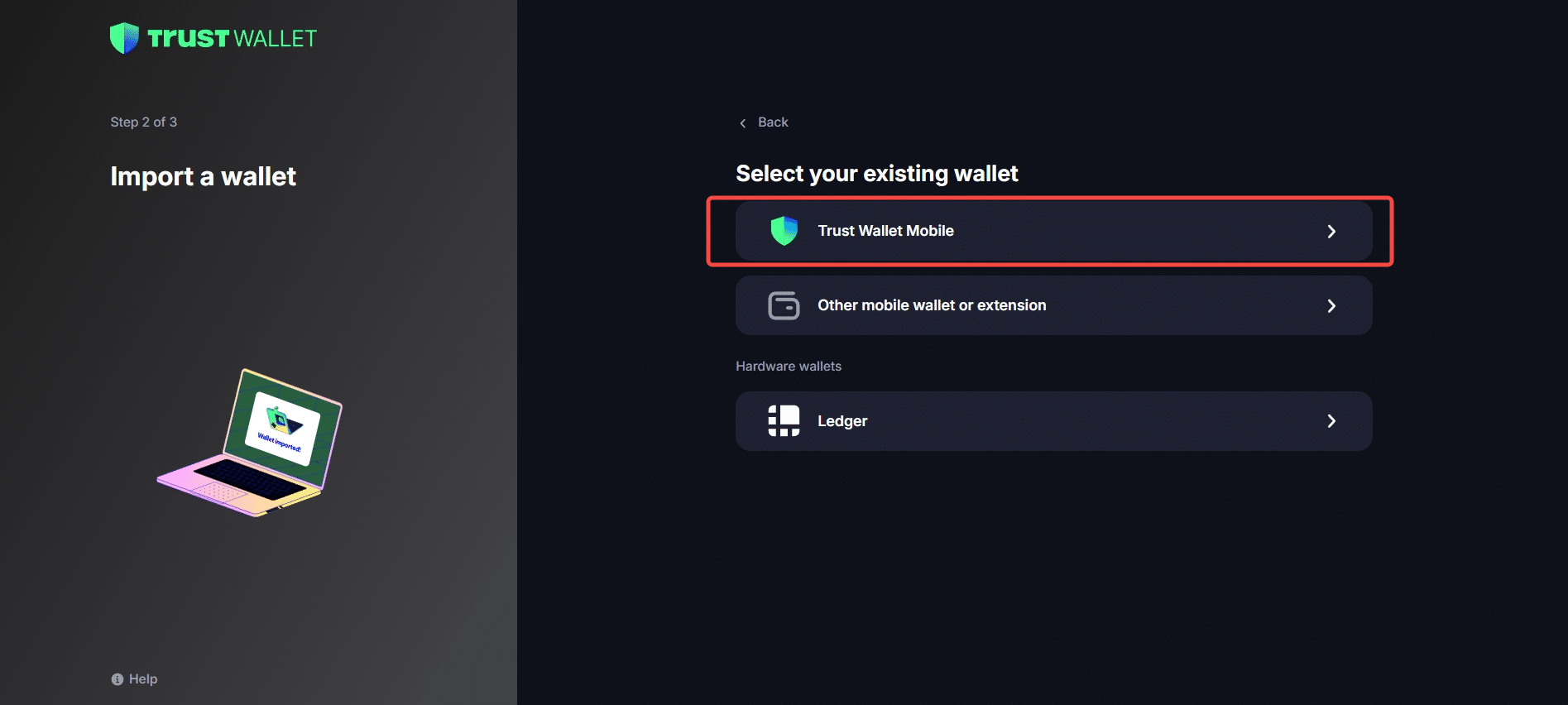
Next, since our wallet was made by Trust Wallet, we select Trust Wallet.
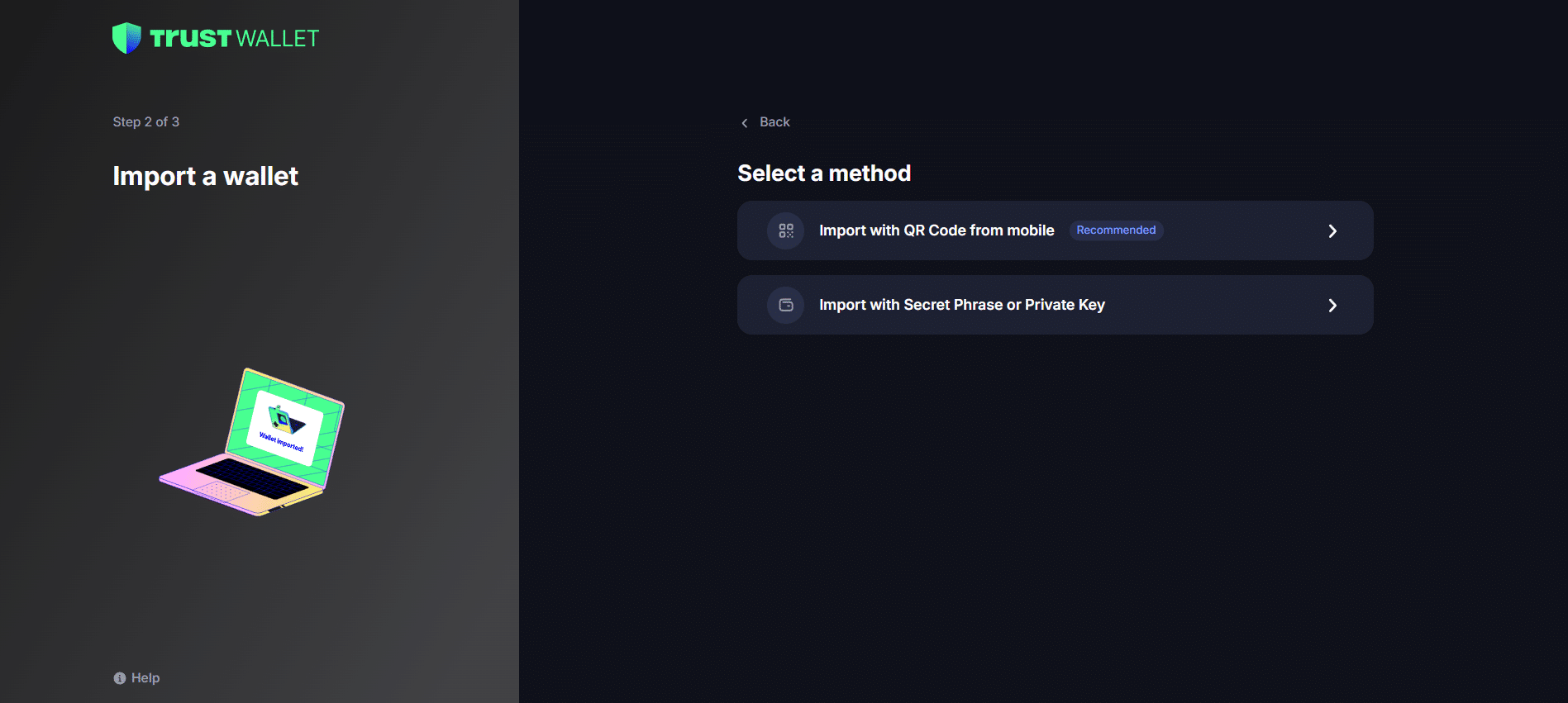
Next, select a method on how are you going to import your recovery phrase, either of the two is fine, but for this guide let’s choose “Import with Secret Phrase or Private Key.”
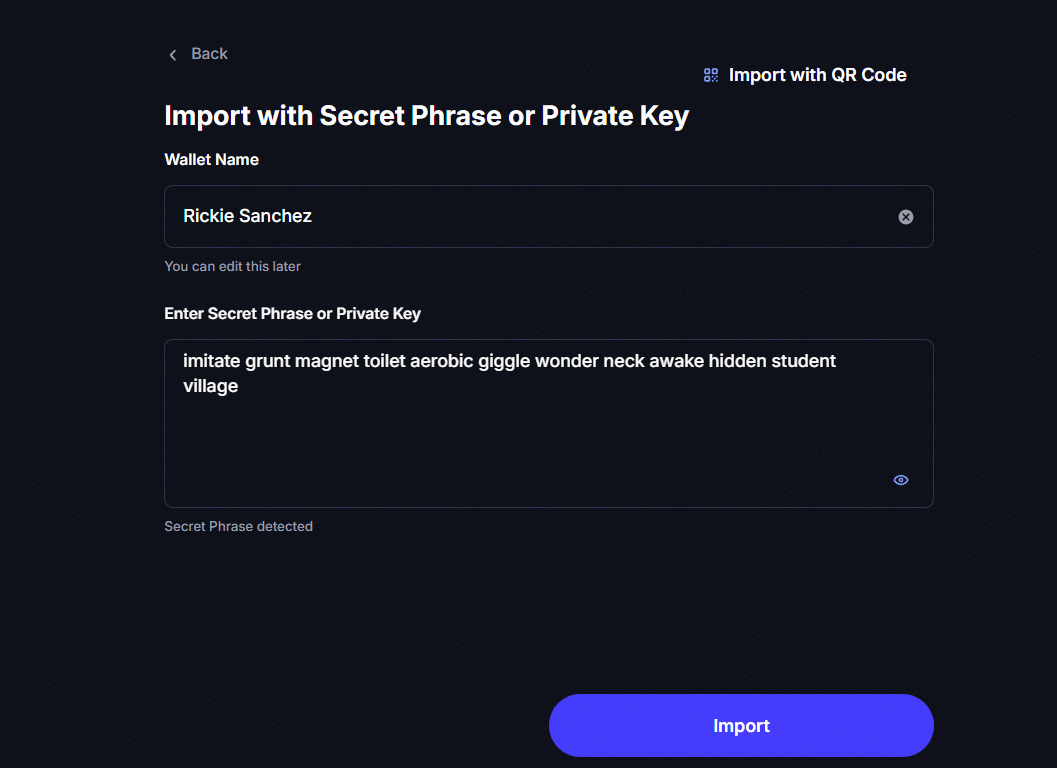
Choose a wallet name for your label and type in your recovery phrase. After typing your twelve words, click “Import.”
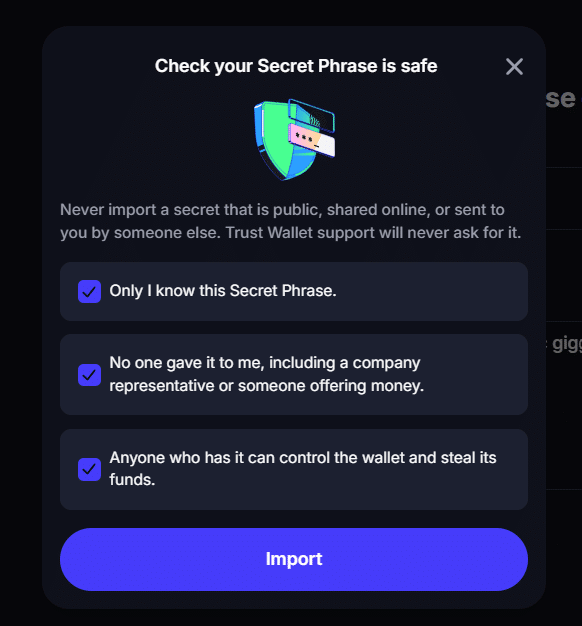
Tick all the boxes and click “Import.” Again, this is a newly generated wallet. Don’t use this anymore as this wallet is already compromised the moment I published this article.
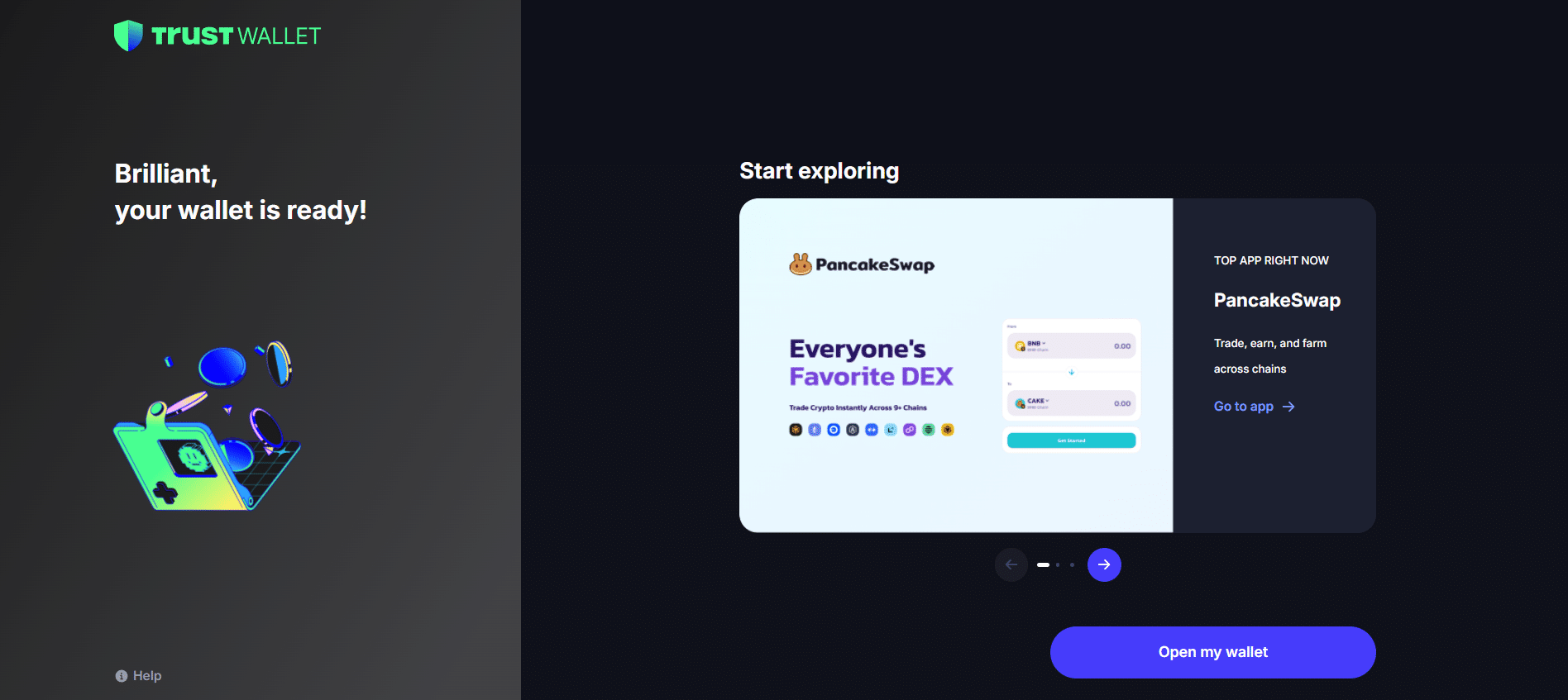
After Trust Wallet confirms your seed phrase, you can now open your wallet.
Lost your phrase? What you can and can’t do
Losing your seed phrase can be one of the most stressful things you can experience. If you have lost the physical copy of your seed phrase, I hope you at least memorized the twelve words.
Other than that, there’s nothing you can do, since you are solely responsible for protecting the physical copy of your seed phrase.
Recovery phrase scams
Do not believe in recovery phrase ‘services’ that claim they can recover your seed phrase for you. No one, not even Trust Wallet, can recover your seed phrase.
Fake support and ‘wallet validation’ sites
Phishing sites may also trick users into entering their seed phrases in exchange for “validation” or “legitimacy.” The moment a user has typed his/her seed phrase, then that is already considered compromised and his/her funds are at risk.
Frequently Asked Questions
Below are answers to questions you might have about Trust Wallet and recovery phrases.
Can Trust Wallet support recover my phrase?
There is no way Trust Wallet support will know your recovery phrase, and if someone claims that they are from Trust Wallet assuring he/she can retrieve your seed phrase, that person is trying to take advantage of you. If you lost your recovery phrase, I’m sorry but you are actually on your own, as no one can help you get it back.
Is a 12-word phrase safe enough?
In my humble opinion, for now it is safe. But as quantum computing keeps improving every day, the one thing I will note though is that if your seed phrase is a word that can be found in the English dictionary, it will be cracked instantly regardless of its length. This is because there are only a million words in the English language, so it would be trivial to just run through all of them.
More crypto guides: Guides hub · What is cryptocurrency · What is a seed phrase · 7 crypto scams to avoid