Key Takeaways
- Cold wallets keep private keys off the internet or rely on offline signature systems in order to minimize exposure to various threats.
- Compare wallets based on cost, number of currencies supported, display, connectivity, open-source software, and secure element.
- Some wallets like Trezor, Ledger, COLDCARD, SafePal, or Tangem are distinguished on the market for Bitcoin holders, both inexperienced and experienced users.
- Cold wallets provide some degree of security, although it is still impossible to avoid scams and mistakes in transactions.
Crypto cold wallets are devices that allow users to store their crypto private keys safely without the threat of internet-based attacks. Such wallets save private keys in an offline environment, which lessens the chances of experiencing malware, phishing, and other internet-related threats.
The best wallet to use depends on the needs of the users. Some devices are specifically designed for Bitcoin users, while others are for a wide range of cryptocurrency customers. These devices differ in price, coin support, security features, and ease of use.
We have compared seven different cold wallets based on specifications available in the public sphere, their features, and their security design. The review tries to cover issues related to budget wallets, Bitcoin-only hardware, air-gapped wallets, and other types of cold wallets.
Overview of the Best Cold Wallets
This comparison is done based on general US retail rates and the specifications by the makers. Prices may vary based on the location, seller, or promotion. The supported Coins for the wallets indicate what the wallet is capable of supporting (the coins). This may depend on partner software and 3rd-party applications.
| Wallet | Approx. Price | Coin Support | Screen | Connectivity | Open-Source Software | Secure Element |
| Trezor Safe 5 | $169 | BTC, ETH, major coins and tokens | Color touchscreen | USB-C | Yes, firmware and software | Yes |
| Ledger Nano S Plus | $55 | BTC, ETH, major coins and tokens | Small OLED | USB-C | Partially; some components are closed source | Yes |
| COLDCARD Mk5 | $200 to $300 | Bitcoin only | Monochrome screen | USB, microSD, NFC | Yes, firmware | Yes |
| SafePal S1 | Around $50 | Multiple coins and tokens | Small color screen | QR code, camera | Not fully open source | Yes |
| Tangem Wallet | From $55 | Multiple coins and tokens | No built-in screen | NFC | Not fully open source | Yes |
| Trezor Safe 3 | $79 | BTC, ETH, major coins and tokens | Small monochrome screen | USB-C | Yes, firmware and software | Yes |
| Ledger Flex | $232 | BTC, ETH, major coins and tokens | E Ink touchscreen | USB-C, Bluetooth | Partially; some components are closed source | Yes |
This table is meant for comparison purposes only; it is not a precise indication that the assets that are featured can be supported on each mentioned device. You should verify the list of supported coins from the manufacturer’s website before the purchase.
How We Compared the Wallets
Each wallet’s specifications were used in this comparison, according to leading manufacturers, before comparing security, supported capacities of cryptocurrencies, connections, usability, transparency, and approximate pricing. This comparison is based entirely on the specifications from the manufacturers and not on a practical test.
The Best Cold Wallets Reviewed
Here are the seven best cold wallets compared.
1. Trezor Safe 5 – Best Overall
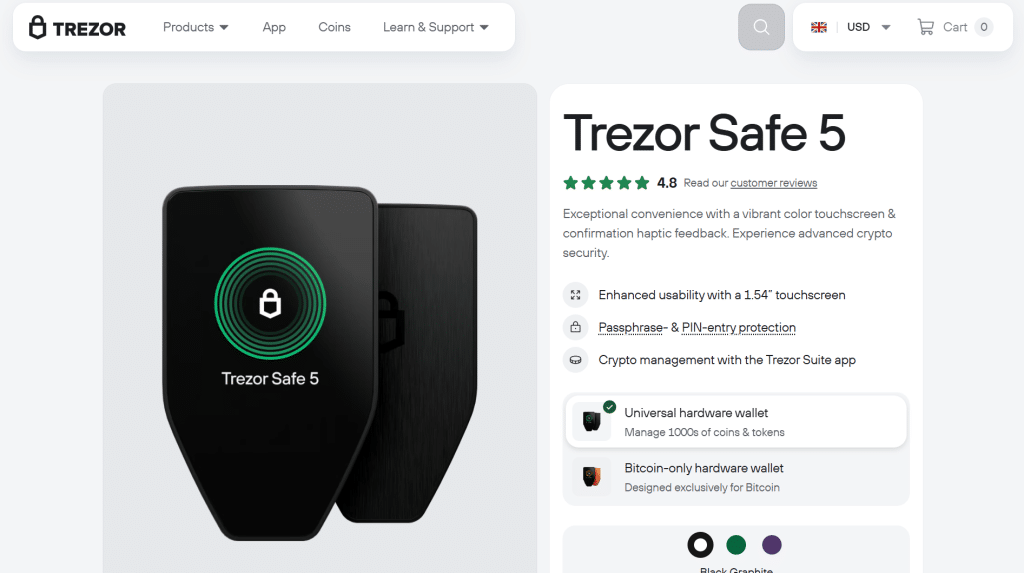
Trezor’s fifth-generation wallet comes with a color touchscreen display, a USB-C connection, and the ability to store various cryptocurrencies.
The touchscreen display enables users to see transaction details and interact with the Trezor. It is easier to verify transactions on the device than with wallets that are based solely on buttons.
Trezor provides users with wallet software for managing assets and for connecting with compatible applications. Users will also be able to access the software components through Trezor’s open-source philosophy.
The Safe 5 comes with a secure element to store sensitive information. However, it’s still important to verify and perform transaction confirmation.
2. Ledger Nano S Plus – Best Budget
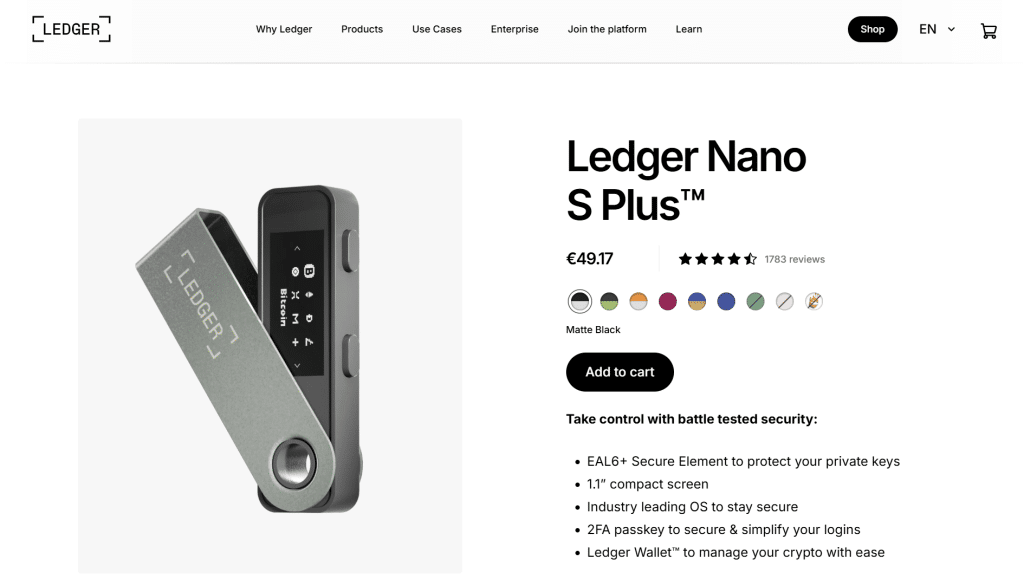
The Ledger Nano S Plus is a small-size cold wallet which allows the user to store its keys offline without paying an excessive price for premium features.
The device uses a USB-C connection for its operation and possesses a small screen as well as physical buttons used to check and approve transactions.
In terms of crypto support, Ledger allows its users to make use of many cryptocurrencies thanks to its wallet software and compatible apps. Users might need additional applications or integrations for managing certain tokens.
The Nano S Plus has its own secure element, but since Ledger’s hardware and firmware solutions are not open-source, anyone who prefers their product to be independently audited is better off with an alternative solution.
3. COLDCARD Mk5 – Designed for Bitcoin
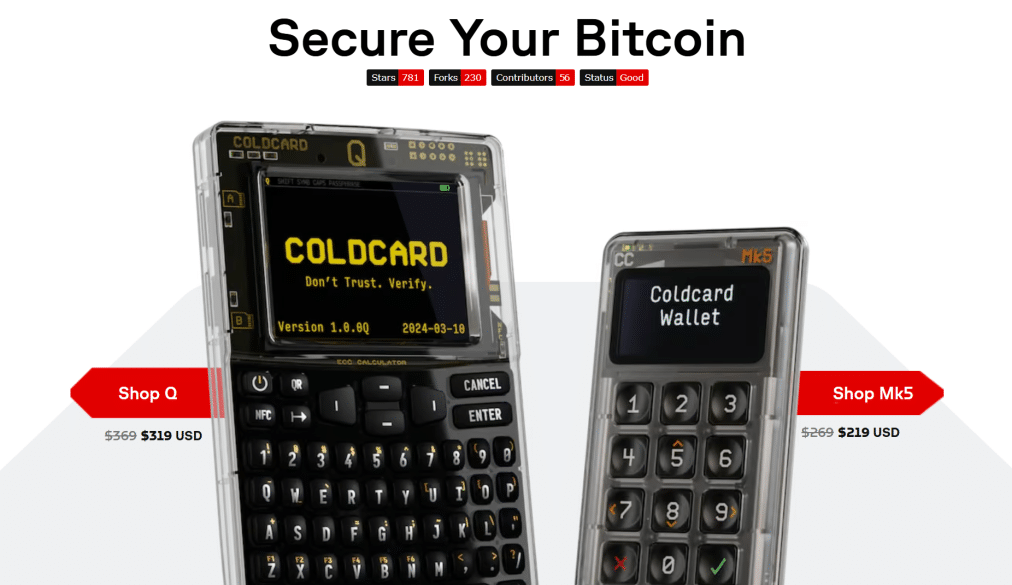
The COLDCARD Mk5 has been manufactured solely for the purpose of working with Bitcoin; however, it lacks any additional features that may make it compatible with other cryptocurrencies.
The device allows for transaction signing while remaining offline and allows for the use of microSD cards to send data without having to connect to any other device. Moreover, it contains a secure chip and features designed for Bitcoin custody. Before approving transactions, the user can check all information regarding transaction details on the device.
Users may find that the process of setting up COLDCARD and handling transactions is more complicated than it is with general-purpose wallets.
4. SafePal S1 – Best Air-Gapped Cold Wallet
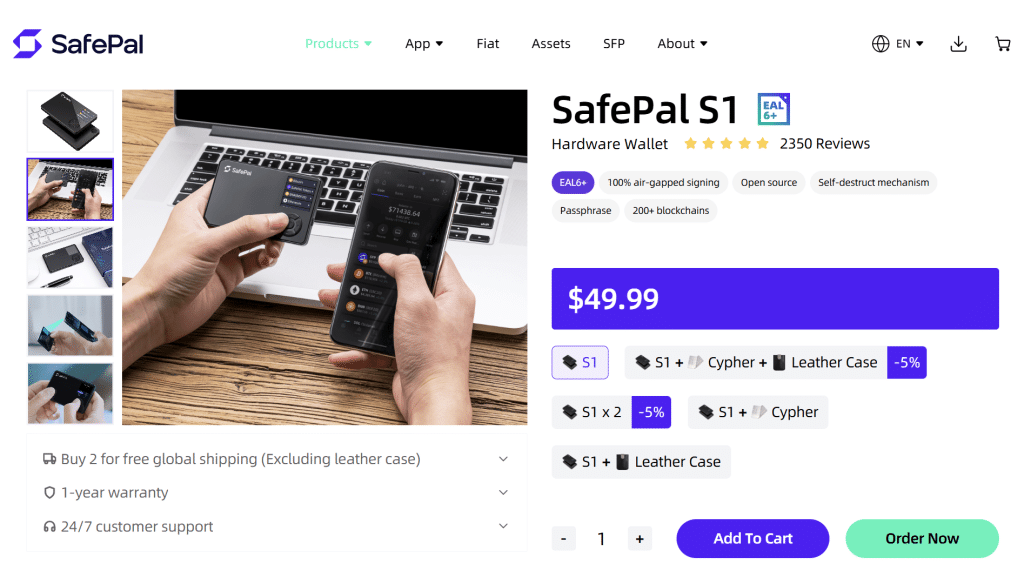
The device uses QR codes to communicate with the connected application. Thus, there is no direct USB or Bluetooth connectivity for the standard workflow of signing transactions. It has a camera, a screen, and physical controls.
The users scan a transaction, check it on the wallet, and send the signed transaction out through a QR code. With this design, the wallet stays easily detached from the connected phone during transaction signing. SafePal supports various coins and tokens, although support depends on software and network integration.
S1 is a cheaper option for users who favor QR signing. It might be possible to have a less comfortable view of a transaction on such a small screen compared to a touchscreen device.
5. Tangem Wallet – Best Card-Style Wallet
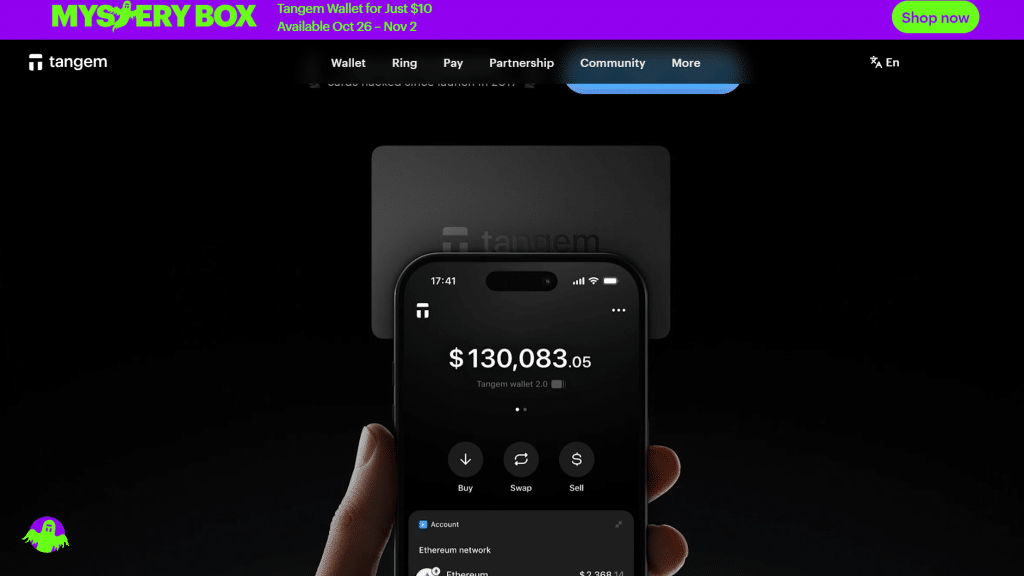
With the use of NFC technology, Tangem replaces the traditional form of hardware wallets with cards that are used to access features and approve transactions. In order to use the wallet, users can just tap their devices on a compatible smartphone.
The card can be used with the Tangem mobile application for managing transactions or accessing other functions. The card provides the opportunity of not having to carry weighty devices and charge them every time. With Tangem, users can operate on a network that is based on the use of different cryptocurrencies and networks via the application.
Since the card does not feature a screen, users can operate through the phone application and make sure they check whether their data is listed correctly before approving any transactions.
6. Trezor Safe 3 – Best for Beginners
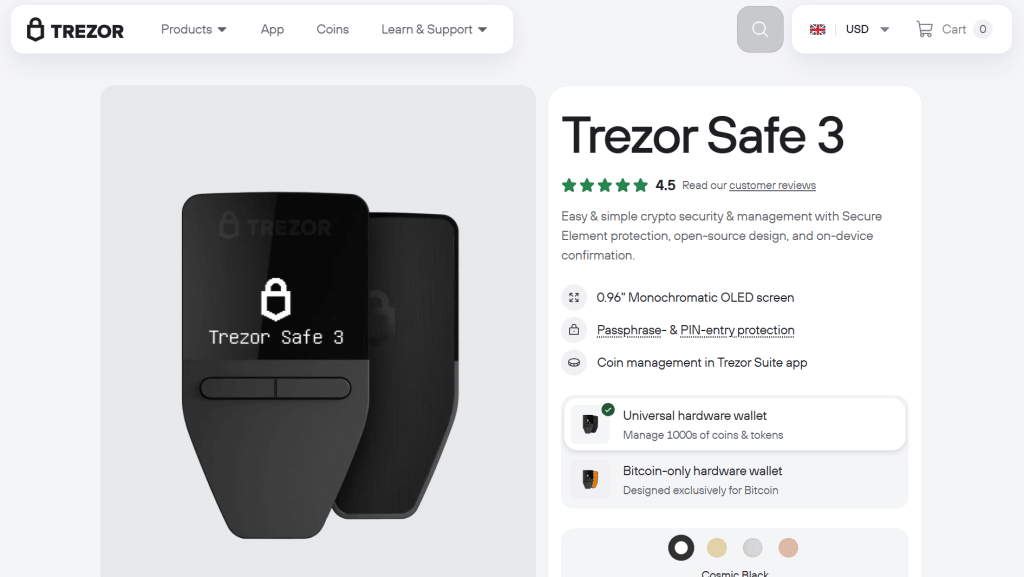
The Trezor Safe 3 is a simple crypto cold wallet that includes a display, some physical buttons, and has connectivity options. Thanks to the software and apps available from Trezor, it can be used with a number of cryptos.
Despite having a less advanced display than the Safe 5 model, users will still be able to view transaction-related info. For a beginner, the main advantages of the Trezor Safe 3 are its simplicity and lower price.
Nonetheless, you also have to get familiar with the usage of a cold wallet, such as how to create recovery phrases, pay fees, and choose a network.
7. Ledger Flex – A Premium Feeling
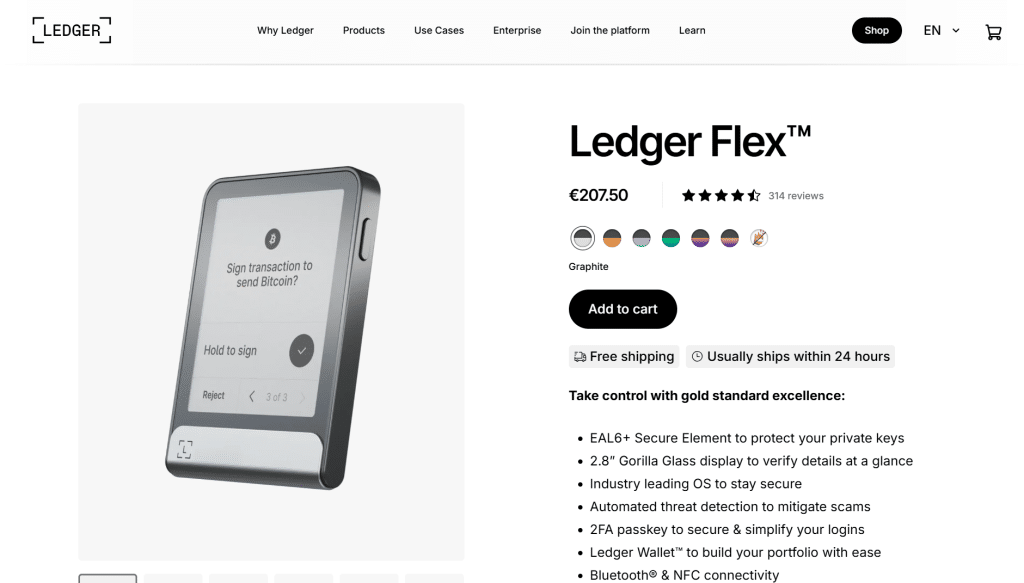
The Ledger Flex is a high-end cold wallet with an E Ink touchscreen and USB-C and Bluetooth capabilities. The touchscreen gives you more room for reviewing transaction information compared to smaller button devices. Bluetooth enables users to pair it with other mobile devices.
Ledger makes software and apps compatible with many cryptocurrencies. It incorporates a secure element. Flex costs more than simple hardware wallets, whether it is worth it or not depends on the need for the screen and mobile connectivity. Ledger’s firmware is not 100% open-source. Those who want open-source firmware may prefer a different wallet.
Cold Wallet vs Hot Wallet
A cold wallet keeps its private keys offline or makes use of a signing process that does not require internet access. A hot wallet stores its private keys on a device that is being used online.
Both types are useful, each in its own right.
| Feature | Cold wallet | Hot wallet |
| Private key storage | Offline or isolated signing device | Internet-connected device |
| Internet access | Usually not required for signing | Usually required |
| Transaction approval | Hardware device or offline process | App or connected device |
| Convenience | Less convenient for frequent transactions | Easier for daily use |
| Common use | Long-term storage | Trading, payments, and DeFi |
| Main risk | Device loss, recovery phrase exposure, signing mistakes | Malware, phishing, and device compromise |
The Difference Between a Hardware Wallet and a Cold Wallet
The use of these two terms cannot be seen as the same. A hardware wallet is basically a physical device intended to keep one’s private key, enabling transactions without an internet connection.
A cold wallet is a more generic term for a wallet that stores a user’s private keys without online access, as opposed to a hot wallet. Most people use hardware wallets for cold storage because they are devices that ensure the private keys cannot be hacked. However, hardware wallets can connect to software wallets and decentralized applications.
Whenever a user initiates a transaction with these services, the wallet may face risks such as rogue transaction approval or smart contract scams. Cold wallets can be in other forms, including paper wallets or offline storage methods.
Therefore, while hardware wallets are one way through which a cold wallet can be made, it’s not the only method.
How to Set Up a Cold Wallet Safely
To set up a cold wallet, you will need to do more than just plug the device in. It is necessary to safeguard the seed phrase and to ensure that the wallet functions properly before you send over a big sum of money.
Buy From the Official Store
When you are going to buy a hard wallet, ensure that it is either from the official website of the producer or a licensed dealer.
You must avoid any second-hand devices or untrusted dealers because thieves could have compromised the device or there may be a previous backup phrase.
Make Sure to Save Your Recovery Phrase
To get your wallet back, you must first write down all important information regarding your recovery phrase before storing it somewhere safe. In that sense, you cannot store your recovery phrase in many kinds of places, including cloud storage, your computer, email, etc.
Send a Test Transaction
It is very important to take note of the wallet’s address, check the token and network that you will be using, and verify that the full wallet address you’ve got is accurate.
It is wise to be cautious before sending a huge amount of money, so start off by sending a small amount of money first to ensure the transaction has happened.
Buying Guide: Features That Matter
When choosing a cold wallet, you should take into account your investments, experience of using cryptocurrencies, and how often you apply them in practice.
Compatible Coins and Networks
Look at your wallet and determine if it is compatible with your coins. While some wallets have multi-coin support, others primarily have Bitcoin support only.
The support of tokens in a wallet is dependent on the third-party application as well as the network itself. Therefore, instead of merely counting the number of coins, ensure that you check for the network and the specific asset you intend to use.
Screen and Transaction Review
The screen allows you to see details regarding each transaction before you approve it. Touchscreens may take more space; however, wallets that work via buttons will be cheaper. In the case of wallets that do not have screens, find out how transaction details will be shown and verified.
Connectivity
For cold wallets, different types of connections can be used, for example, USB, Bluetooth, NFC, etc. USB connection is more commonly used with computers, whereas Bluetooth is more convenient with mobile devices. QR codes help transfer transaction information without direct contact. Choose whichever connection type that you can use and it is understandable.
Recovery and Backup
Find out how the wallet creates and recovers backups. While some wallets use standard recovery phrases, others may offer a plethora of means to recover, including cards and other means of recovery. Before putting money into the wallet, ensure you understand how it works.
Price and Long-Term Use
A wallet that is not expensive is good enough if all you need is basic offline storage. High-priced models generally come equipped with various features and usually have a large screen, the ability to connect to mobile, and enhanced transaction options.
Even if the features of this wallet are good, they do not mean that it is any more secure than a low-priced wallet. Therefore, select a wallet according to your requirements and financial capabilities.
Frequently Asked Questions
Here are the most common questions about cold wallets.
What is the most secure cold wallet?
One single cold wallet could not be the most secure choice for everyone, because the security of any device is determined by the type of cold wallet chosen to work with, how the wallet is configured, and how transactions are verified. Opt for the cold wallet model that has the safety specifications that you are comfortable with, and where you can easily understand the manufacturer’s instructions.
Are cold wallets completely offline?
Different cold wallets use different types of connections. Some may work with USB or Bluetooth, while others may use QR codes and NFC. The private key is protected by the wallet while a transaction takes place on the device.
Is it possible to hack a cold wallet?
Cold wallets are not completely safe. The user can be tricked into revealing their recovery phrase or be permitted to approve a fraudulent transaction. Therefore, safeguarding the recovery phrase along with ensuring the validity of the transaction helps to reduce risks.
Is every virtual wallet suited for any cryptocurrency?
Every wallet has its list of supported cryptocurrency types. Therefore, prior to making any purchase, you should understand which cryptocurrency is accepted in certain wallets because certain types of cryptocurrencies require additional applications.
More on wallets: Wallet guides · Best crypto wallets · Best hardware wallets · What is a seed phrase