Key Takeaways
- Uniswap is one of the most famous DEX platforms in the crypto space built on the Ethereum blockchain.
- The platform initially started building on Ethereum in 2018 and has expanded into other blockchains after 2021.
- Uniswap continues to offer useful features for its users, from swapping tokens on Ethereum to a more expanded blockchain options and for easier onboarding.
If you are an OG in the crypto space, I bet you will agree that Uniswap has some of the coolest logos in Web3. The decentralized exchange (DEX) was released in 2018 by founder Hayden Adams and Uniswap has aimed to incentivize users to maintain a DEX for buying and selling crypto.
After eight years since the platform’s deployment and continuous updates over the years, Uniswap has grown exponentially to become the biggest DEX platform in DeFi, standing beside PancakeSwap and Aerodrome in terms of 24-hour volume and market share.
What is Uniswap?
Uniswap is a decentralized exchange (DEX) built on Ethereum. Trading crypto befire used to mean trusting a middleman along with your identity and your money. But on Uniswap, it actually removes the middleman and only requires a Web3 wallet that you control to start trading on the platform.
One thing to know about the platform is that it uses a collection of liquidity pools instead of a centralized order book wherein buyers and sellers can place orders.
Liquidity providers (LPs) contribute to Uniswap’s pools in the same way that protocols like Balancer and Curve do by first locking two assets into a smart contract.
For example, Uniswap’s USDC/USDT liquidity pool is made up of deposits with equal amounts of USDC and USDT.
Providers are then rewarded with a portion of the trading fees as well as newly minted UNI tokens in exchange for maintaining liquidity in the pool.
Deposits in these pools are very critical to Uniswap’s base of operations because as users can then buy and sell crypto from the liquidity pool, exchanging one token for another.
As long as there is liquidity, traders can list a token on Uniswap as long as the selected blockchain is supported by the platform. As of this writing, the current blockchains supported by Uniswap are Ethereum, Robinhood Chain, Base, Arc, Arbitrum, Monad, Solana, Polygon, Avalanche and many more.
What you need before you start
Below are the requirements that traders need in order to start trading on a DEX platform. Do note that the concept/process is the same for other DeFi platforms like PancakeSwap or Aerodrome.
A compatible wallet
Since Uniswap is a decentralized platform, there is no account registration like on a centralized exchange that will require your email or phone number to open an account.
Users need to create a self-custodial wallet to access and trade on Uniswap. Notably, there are three ways to open a wallet and it will depend on your preference on how to set one up.
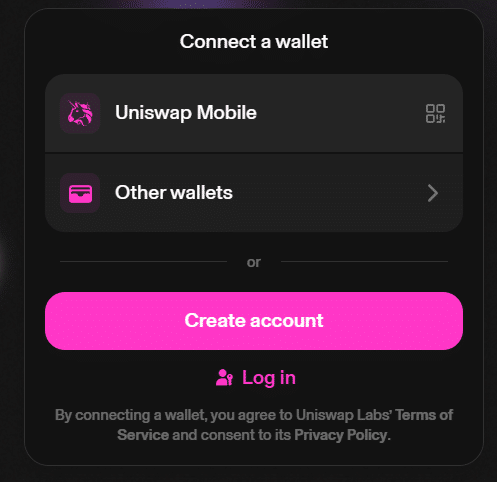
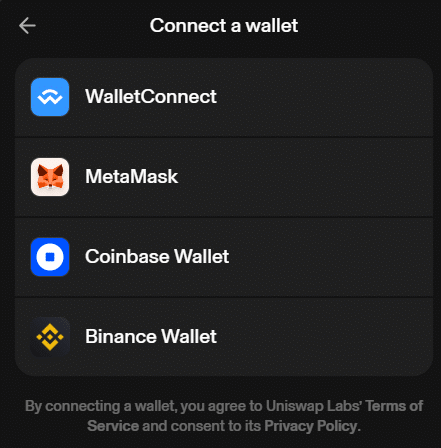
First is that you can use external Web3 wallets like WalletConnect, MetaMask, Coinbase Wallet, and Binance Wallet to access the platform, assuming you already use those wallets.
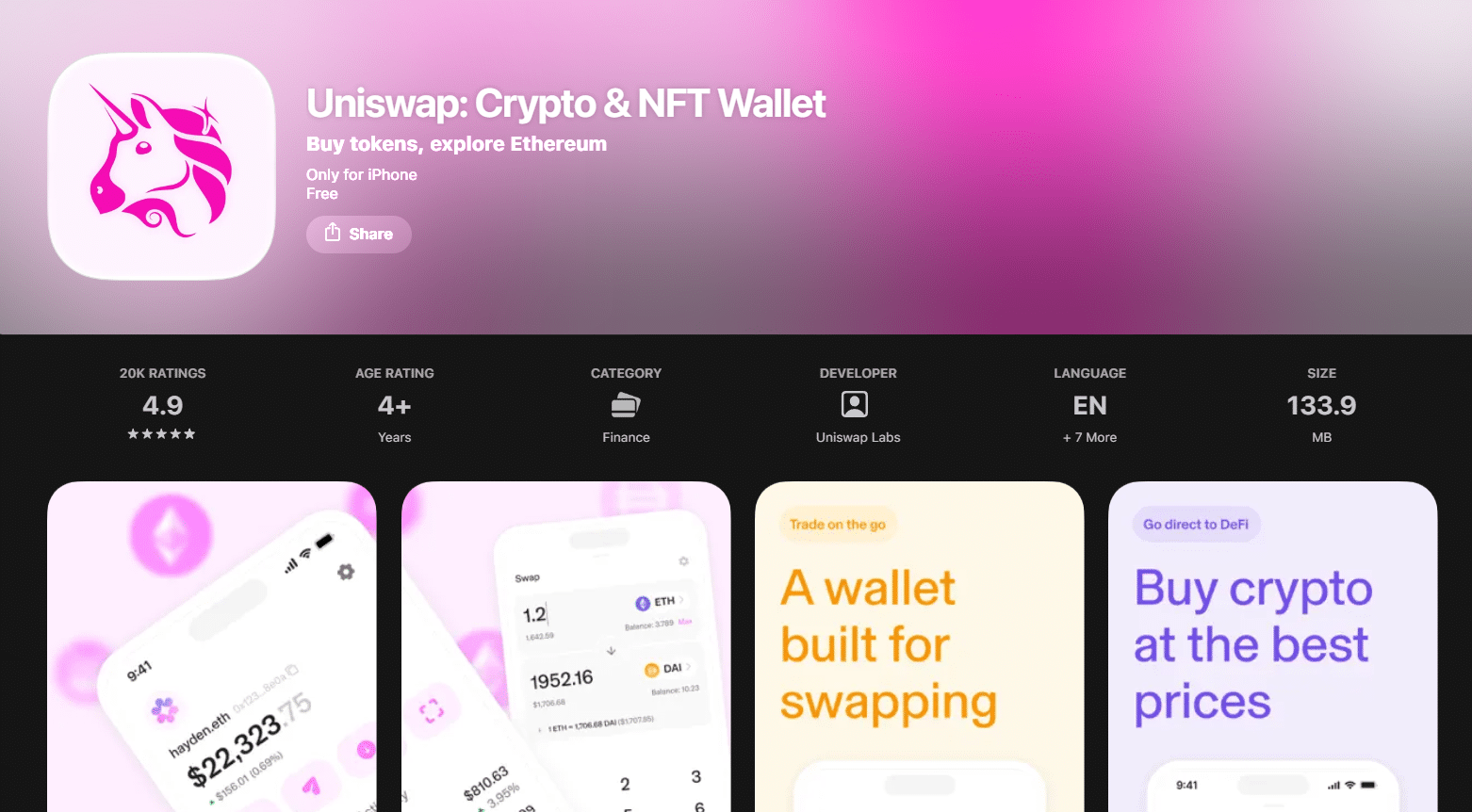
Second, if you would like to use Uniswap’s very own wallet, you can download Uniswap Mobile on Android and iOS if you prefer a more native experience.
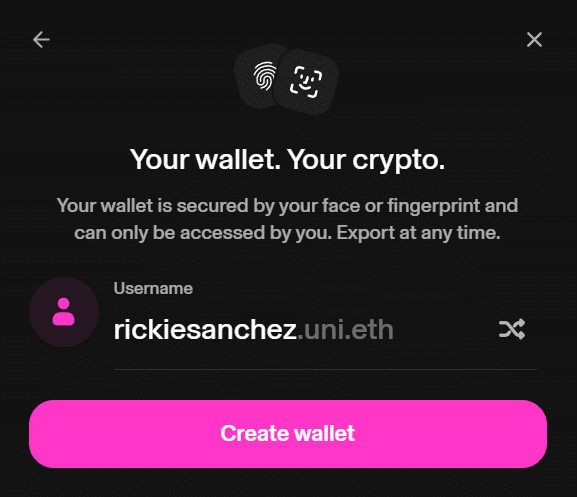
Lastly, if you mostly trade on PC or a laptop, you can also create a passkey for ease of use.
Overall, if you are just starting in Uniswap, I recommend downloading their Uniswap Mobile to get the feel of the native experience, but if you are more of an advanced user, external wallets and passkeys work great too!
ETH or the network’s gas token for fees
I mentioned earlier that Uniswap has since expanded to other blockchains. So if you are trading on Robinhood Chain or Ethereum, you need ETH gas fees topped up in your Web3 wallet. Likewise if you are trading on Layer 2s like Arbitrum, you also need ARB tokens for that as well. Do note that each trade approval requires gas fees.
How to swap tokens on Uniswap
Below is a simple guide on how to swap tokens on Uniswap.
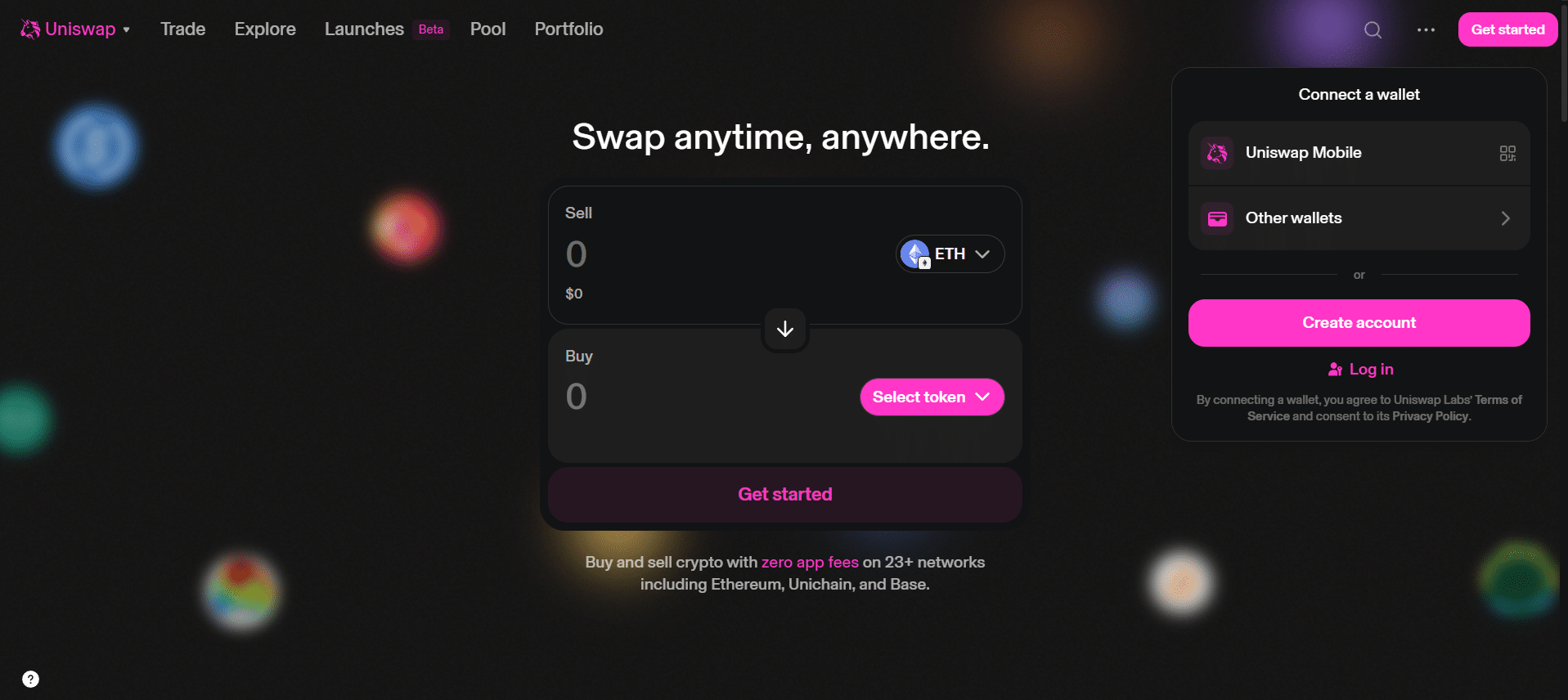
Step 1: Connect your Web3 wallet
Go to https://app.uniswap.org/ and connect your Web3 wallet.
Step 2: Choose the network and tokens
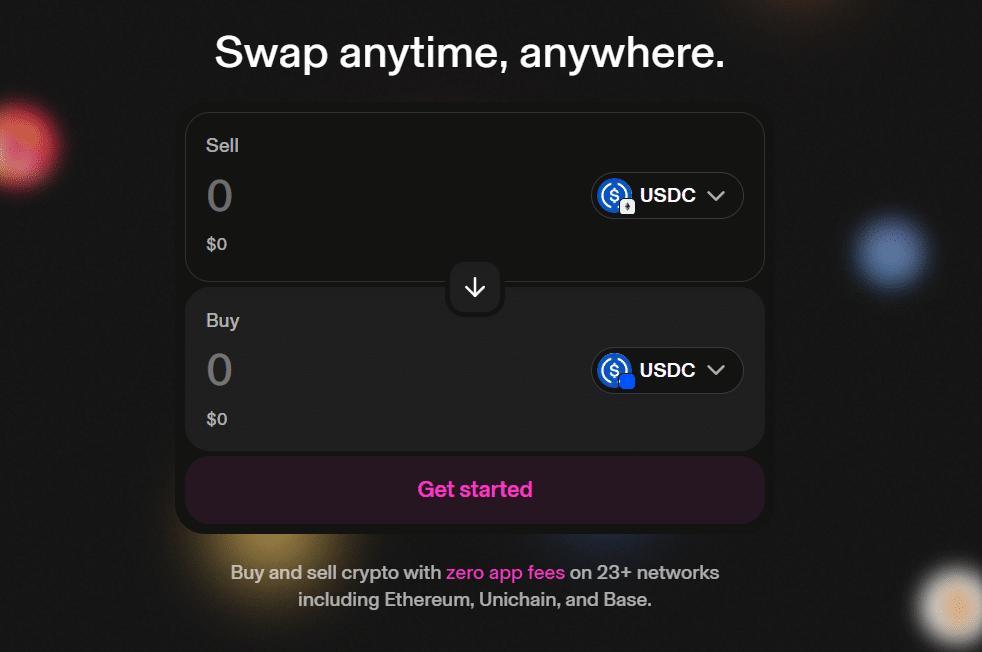
Select the tokens you want to convert. For example, I want to bridge USDC on ETH to USDC on Base. Therefore I will pay ETH gas fees on the mainnet to execute and have a successful bridge.
Step 3: Check price impact, slippage and fees
Don’t convert your tokens directly; always review the price impact, slippage, and fees before doing the transaction to avoid losing money. The lower the slippage and fees the better!
The possible reasons may be low liquidity in the pair, which can lead to high slippage and fees. However, most well-known stablecoins usually have high liquidity, while those uncommon onchain tokens have the least liquidity, so always review the details before approving.
Step 4: Approve and confirm the swap
If everything is in now in order, you may now approve the transaction and wait for the process to convert your tokens.
How to buy crypto with a card in Uniswap
Buying crypto with a credit or debit card has been the most common way of topping up for gas fees. Before, users would still need to buy crypto on a CEX and then transfer it to their Web3 wallet, incurring costs and too much effort.
With credit and debit cards, your crypto will be directly sent to the Web3 wallet you have chosen.
To purchase crypto, go directly to your Web3 wallet and find the “Buy” crypto. After that, enter the fiat amount you want to top up. Next, Uniswap will then find you the best fiat provider that has the best rate.
Select your provider and and enter your card details. Don’t worry, it is safe, but just to make sure, you can use a credit card instead of a debit card. After the transaction has concluded, your crypto will be in your Web3 wallet.
How to send tokens
Do note that when sending tokens, you would need to do it on your Web3 wallet and not on the Uniswap platform. Uniswap mostly lets users trade on the platform.
Let’s say you want to send tokens to someone, make sure the other person has a Web3 wallet or a centralized exchange account.
On your end, go to your Web3 wallet and click “Send”. After that, select the token you want to transfer along with the correct address. Make sure to notify the receiver that you intend to transfer tokens on that blockchain network as well.
Type in the amount you want to send, review the summary and check for gas fees. If all good, you may hit approve. After awhile, the receiver will get the tokens after a few minutes.
How to provide liquidity
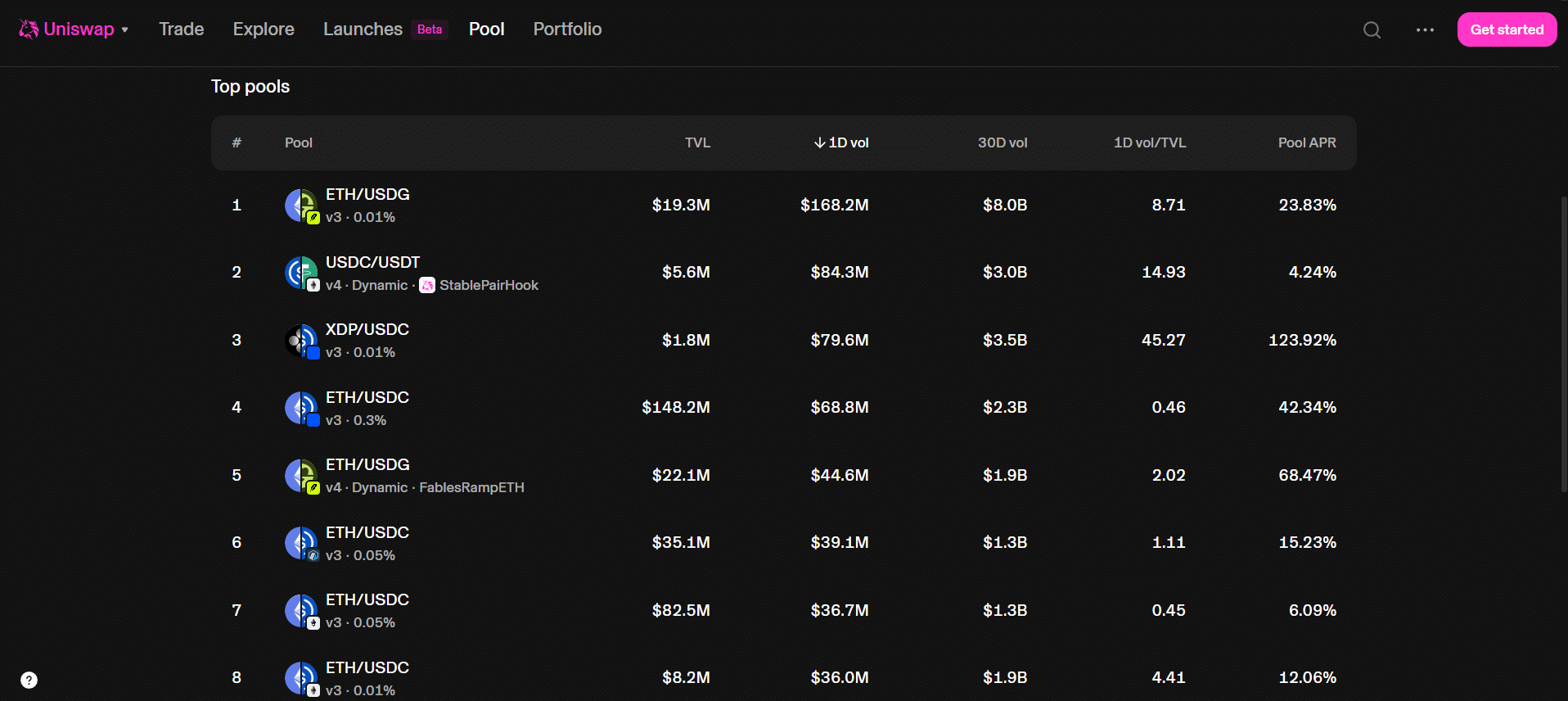
Providing liquidity means depositing 50% of each pair in exchange for a share in transaction fees. If you go to the Pool section of Uniswap. You will see a list of liquidity pairs listed.
Choosing a pool
I would like to note that high Pool APRs are very risky liquidity pairs. If you are just starting out in providing liquidity, I recommend stablecoin pairs like USDC/USDT. The pool APR may be low, but you are not subject to future risks like impermanent loss. Make sure to keep that in mind.
Impermanent loss
Speaking of impermanent loss, it is the expected outcome if you choose to provide liquidity to a certain pair. And if you choose to withdraw while the pair is imbalanced, your loss becomes permanent.
This is why I said to start off with stablecoin pairs because the chance of getting impermanent loss is extremely low, since stablecoins are backed to $1.
Collecting fees and removing liquidity
Let’s say you have made a profit providing liquidity to a pair; you have to manually collect your earned rewards on the Pools section. Go to the Pools tab and select the liquidity pair you have previously chosen. Next, click “Collect Fees” and review the breakdown of how much you actually earned. If you are satisfied with your earnings, click “Collect” and approve the transaction with your Web3 wallet. After a while, your rewards will head straight to your wallet.
Also, if you want to remove liquidity for a certain pair, just click the “Remove Liquidity” button. The platform will then ask how much you want to pull out (25%, 50%, 75%, 100%). After confirming, your locked tokens will become available in your wallet.
Uniswap fees: what you actually pay
To keep the platform running, Uniswap charges a small fee for every transaction users make. The fees then go to the liquidity providers for standard swaps, cross-chain bridges, and collecting liquidity provider fees.
So if you plan to use a decentralized platform, always expect a fee for every transaction; otherwise, you are better off using a CEX.
Safety checklist: fake tokens, approvals, phishing sites
When trading onchain tokens that are not usually found in CEXs, they can be susceptible to mimics of scams with different contract addresses.
As an onchain trader, you are responsible for verifying tokens if you plan to trade in the trenches of the most volatile part of crypto.
Uniswap versus other DEXs
Trading on Uniswap is great if you are planning to trade on Ethereum and other Layer 2 blockchains. With other DEX platforms going multichain, it does not really matter whether you are trading on Uniswap or other DeFi platforms like PancakeSwap or Aerodrome.
But do note that these platforms regularly have promotions to incentivize users to trade on their DeFi platforms so make sure to check out their official X pages if you want to capitalize on that.
Frequently Asked Questions
Do you have more questions regarding Uniswap? Below are the most frequently asked questions.
Do I need ETH to use Uniswap?
If you plan to trade Ethereum-based tokens, then you need ETH tokens for gas fees. But if you are trading on a Layer-2, then you need a native token of that blockchain in order for your transaction to work.
Why did my swap fail?
Possible reasons could be that (1) you do not have enough gas fees in your wallet, (2) you picked the wrong blockchain network, (3) there is insufficient liquidity in the token pair you are trading, (4) or there is a missing token approval. Please make sure everything is in order for your transaction to be successful.
Is Uniswap available in my country?
Uniswap is usually available in almost all countries but some governments may block the website through geo-blocking. If that happens, there are ways to get around it such as changing your Domain Name System (DNS) or subscribing to a VPN. Changing your DNS is free and requires a little bit of your time to work it around while subscribing to a VPN costs money.