Key Takeaways
- The best crypto wallet for you is determined by multiple things, such as aspects of blockchain compatibility, security level, ease of use, as well as management methods for virtual currency.
- Phantom works best for Solana NFTs, while Xverse allows you to work with Bitcoin Ordinals. Ledger provides hardware security.
- Most software wallets are free, while hardware wallets, transaction fees, and platforms have costs.
Determining the best NFT wallet will depend on which blockchain you are working with, how you want to manage your collectibles, and what level of security is necessary. Some wallets can only handle Ethereum-based NFTs, while others are aimed at Solana or Bitcoin Ordinals, which are other networks.
For individuals who have NFTs across blocks, a multisig wallet may facilitate collecting. For individuals with expensive NFTs, one option is to use hardware wallets that are able to manage private keys offline and enable use of the wallets online.
In this article, we compare seven different NFT wallets that will be known in 2026. Our article will give an overview of the blockchain that each wallet will support, as well as information about all the fees associated with using the wallet.
Quick Overview of Top-tier NFT Wallets
The table below provides a quick overview of the strengths of each of the wallets, while network support or NFT display characteristics may vary based on the version of the app used. Hence, it is imperative to refer to the official documentation prior to returning.
| Wallet | Best For | Main NFT Networks | NFT Gallery | Hardware Support | Cost |
| MetaMask | Best overall | Ethereum and supported EVM networks, with additional network support | Yes | Ledger, Trezor and others, depending on device | Free |
| Rabby Wallet | Ethereum NFTs and DeFi | Ethereum and other EVM networks | NFT support; display depends on asset and version | Ledger, Trezor and other compatible devices | Free |
| Phantom | Solana NFTs | Solana, Ethereum, Bitcoin and other supported networks | Yes, for supported collectibles | Selected Ledger devices | Free |
| Xverse | Bitcoin Ordinals | Bitcoin, Ordinals, Runes and Stacks-related assets | Supports Bitcoin collectibles | Ledger and Keystone through its browser extension | Free |
| Ledger | Hardware security | Ethereum, Polygon and other supported assets through compatible apps | Yes, with supported assets and software | Hardware device is the wallet | Free |
| Coinbase Wallet | Beginners | Ethereum and other supported networks | NFT support | Check current device compatibility | Free |
| Trust Wallet | Mobile collectors | Ethereum, Solana and other supported networks | NFT management on supported networks | Check current hardware compatibility | Free |
The majority of the software wallets do not usually impose installation costs. Nevertheless, crypto wallets may impose transaction fees for NFT transactions or for the use of a marketplace or trading through the service. Hardware wallets typically require a paid purchase.
How We Evaluated the Top NFT Wallets
We took into account the following five factors:
- Management of NFTs. Viewing, verification, transfer, and receipt of NFTs.
- Safety characteristics. Capabilities to conduct test transactions, receive notices for fraudulent acts, and employ hardware wallets and offline key storage.
- User-friendliness. Wallet suitability for novices or experts.
- Costs and constraints. All expenses incurred when buying the wallet and obtaining hardware or any other restrictions.
Just the support of NFTs is not enough for proper functioning. Some wallets depend on the data provided by third-party services as well as the standards used, and as a result, they may not work with a specific token.
The Best NFT Wallets Reviewed
Choosing the right wallet will depend on the user’s NFT involvement. There are seven types of wallets covering all types of transactions, from receiving NFTs and managing them safely on Ethereum or Solana to being able to manage Bitcoin Ordinals, use mobile devices, and have hardware security.
1. MetaMask – Best Overall
MetaMask is an excellent solution for collectors who work with Ethereum and its compatible networks. It provides mobile and extension options and includes an NFT section for adding and managing NFTs.
As stated by the MetaMask Help Center, NFT autodetection can be performed on Ethereum, Base, Linea, Sei, Monad, and Avalanche. In case of failures in autodetection of NFTs, a user is allowed to manually import their NFTs.
MetaMask is compatible with ERC-721 and ERC-1155 NFTs. Its documentation specifies that users have the option of sending NFTs from the ERC-721 standard, thus urging users to check regulations of other standards before proceeding with a transaction.
MetaMask can be integrated with other hardware wallets available for use, including Ledger and Trezor. This enables a user to use a familiar software interface and is backed by an offline private key option.
2. Rabby Wallet – The Recommended Wallet for Ethereum NFTs and DeFi
The Rabby Wallet has been made for individuals who work with Ethereum as well as with the Ethereum Virtual Machine (EVM) networks. It is extremely helpful for users who are collecting digital assets as well as using platforms like centralized and decentralized exchanges, lending protocols, and NFT marketplaces.
The wallet comes with transaction previews and security verification, which are useful in determining what any transaction will involve before signing it. These features make it more convenient when clients are dealing with NFT marketplaces, where transactions can imply more than just the transfer of digital assets.
Additionally, the Rabby Wallet supports various EVM networks and is compatible with hardware wallets like Ledger and Trezor as well. The fact that it works exclusively with EVM networks means that the Rabby Wallet is not a universal wallet for either native Solana NFTs or Bitcoin Ordinals.
Thus, it is safe to say that it would be more suitable for users who are already familiar with how Ethereum-based platforms work and are looking for the extra context when making transactions.
3. Phantom Wallet – Excellent for NFTs on Solana
The Phantom Wallet was first introduced as a wallet dedicated to Solana and is still one of the leading solutions for people who are into Solana NFTs. The wallet can be accessed both as a mobile application and as a browser extension, and allows for good management of NFTs.
The wallet has begun supporting more networks such as Bitcoin and various EVM networks. However, it’s strongly recommended to check which networks are available for sending NFTs since the functionality differs from one network to another.
Phantom also provides compatibility with select types of Ledger hardware wallets, thus allowing you to store private keys in a secure way and easily use compatible applications.
What is the main advantage of the Phantom Wallet for people interested in Solana? The answer is simple, it focuses exclusively on Solana, which makes it unnecessary to install another wallet for managing SOL and tokens.
4. Xverse – Best for Bitcoin Ordinals
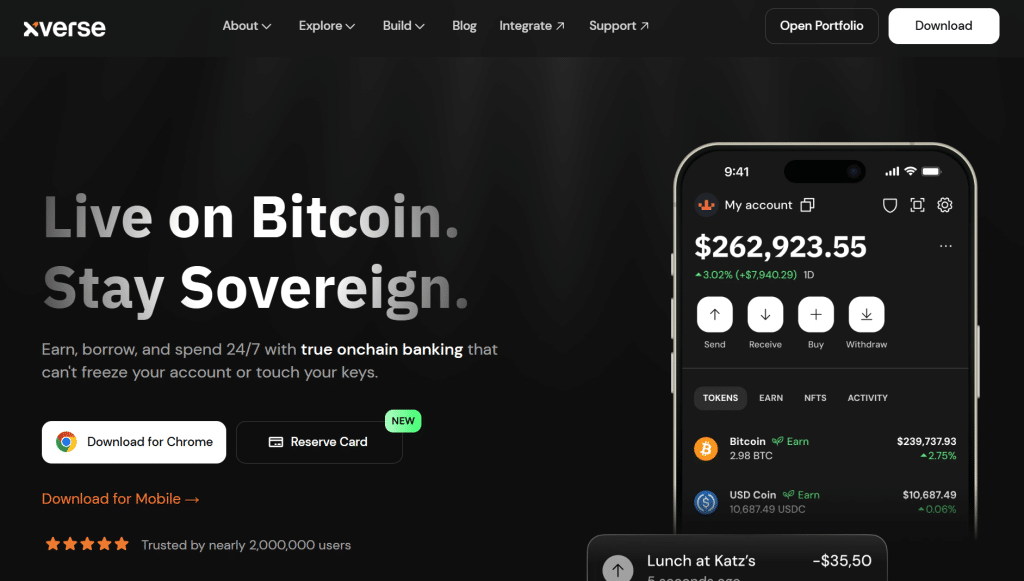
Xverse has been created specifically for Bitcoin and its derived tokens. As it enables using Ordinals, Runes, and BRC-20 tokens, it is the wallet to use when dealing with Bitcoin-based wallets.
The function of Ordinals is different than other traditional Ethereum NFTs. Ordinals utilize inscriptions specific to certain satoshis; therefore, they require greater effort to process Bitcoin collectibles.
Xverse keeps all classical BTC addresses separated from those meant for Ordinals. This helps keep the risk of loss of a satoshi linked with an asset low. Xverse can even be connected with hardware wallets via its browser extension, including Ledger and Keystone, according to the Xverse support documentation.
5. Ledger – Best Hardware Wallet for NFTs
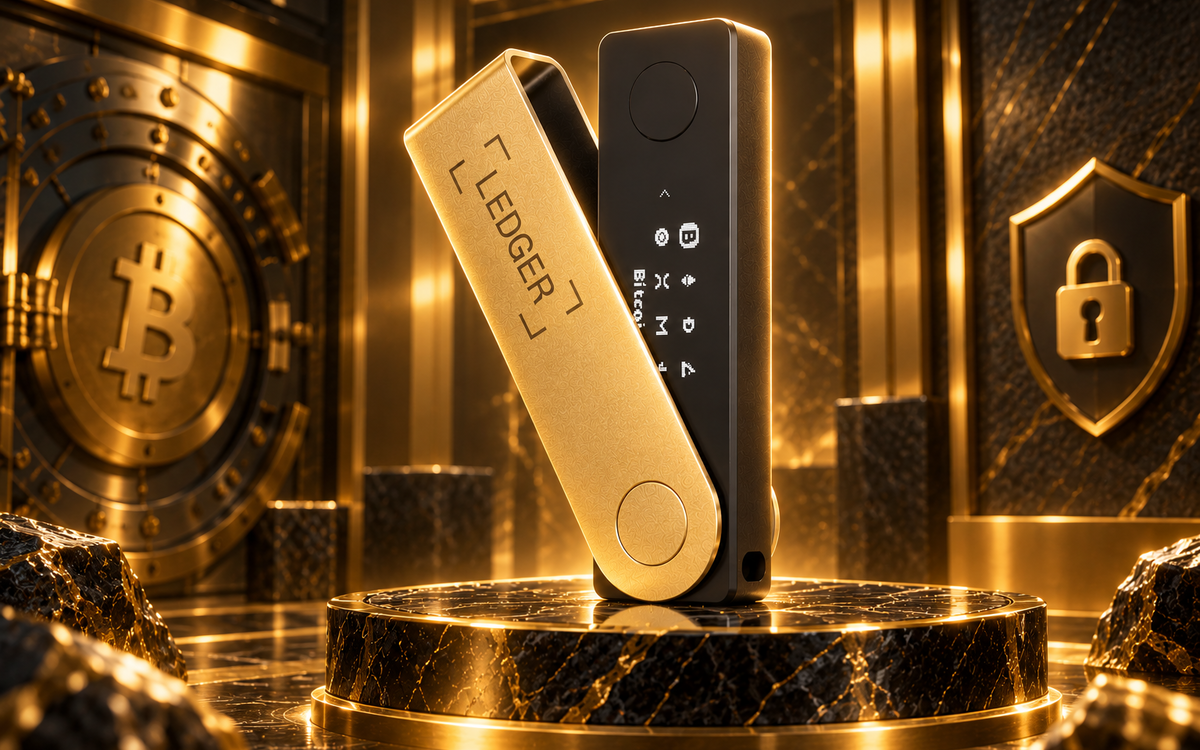
Ledger is a hardware-wallet solution customarily utilized by collectors who wish to keep their private keys disconnected. Instead of an app or browser extension, users approve transactions through an actual hardware.
Ledger Wallet provides its own solutions for managing NFTs. In its documentation, Ledger describes the support for NFTs for both Ethereum and Polygon, while the type of access to assets will depend on the hardware, apps, and networks used.
For NFTs on Ethereum, users can combine Ledger with compatible interfaces such as MetaMask, while Phantom can be used with supported Ledger devices for compatible Solana sources. These connections allow collecting using the familiar applications while accepting hardware signing of transactions.
A hardware wallet does not protect from all NFT scams; if it is approved by the user, a malicious software can still procure a digital signature from the hardware. One must always check and double-check the transaction, the destination, and permissions requested.
6. Coinbase Wallet – Best for Beginners
Coinbase Wallet operates as a self-managed wallet that offers users the ability to guard their own private keys. It supports NFTs on compatible networks and can be accessed from mobile and via Web.
The biggest advantage, especially for new users, is that beginners have a wallet capable of managing all supported cryptocurrencies and NFTs without needing a centralized conversion account to store their assets. All users can find all compatible tools and manage them in this wallet.
Nonetheless, there is no confusion between Coinbase Wallet and a custodial account in the Coinbase exchange. In the case of a self-managed wallet, the user should take care of his recovery phrase and approve transactions.
Similar to some other multichain wallets, it is important to remember that asset compatibility depends on the particular network and NFT format.
7. Trust Wallet – Best for Mobile NFT Management
Trust Wallet is an ideal mobile wallet solution for those who want to handle digital currencies and collectibles from their mobile. In addition to other digital assets, the app also supports NFTs from well-known networks like Ethereum and Solana.
The support for multiple assets means that those who are collecting NFTs on many networks would find this wallet to be useful. But when a particular network appears on the list of supported assets by Trust Wallet, it does not mean that all NFTs created on the network are going to be shown or supported by the wallet.
With Trust Wallet, the user assumes total ownership of their security and must protect their recovery phrase as well as verify the transactions made with the wallet.
What to Look for in an NFT Wallet
Right before picking a wallet, give thought to keeping your NFT safe, using it, and the source of any additional security. However, a wallet with a cluster of features is not the best option for each and every collection.
Blockchain Compatibility
Begin with the blockchain upon which your NFT exists. Ethereum NFTs, Solana collectibles, and Bitcoin Ordinals, for that matter, each use different standards and transaction systems.
An Ethereum wallet won’t work with Solana NFTs, and a Bitcoin Ordinals wallet won’t show any ERC-721 collectibles. Therefore, you should choose a wallet that is good for storing NFTs across multiple networks, or use different wallets for different collections.
NFT Gallery and Display
A wallet gallery allows you to see collectibles associated with your address. Some of the useful features include automatic NFT detection, token and collection details, and sending NFTs supported by them.
But be wary-a token can reside on the blockchain while its image or metadata is not populated properly. The missing image at any time does not mean that the token is no longer present. A trusted blockchain explorer can be of great help to check the address, network, and transaction record.
Compatibility With Hardware Wallets
Being in possession of priceless NFTs entails understanding the ability of one’s wallet to communicate with a hardware wallet.
Your wallet might be able to grant you access to the marketplace, but a hardware wallet will provide safety for your private keys by allowing you to perform the process locally and preventing them from being online.
It is important to ensure that your hardware wallet is built on the right blockchain and works with your intended software to which the wallet would connect.
Security and Transaction Previews
You should look for elements that can help you understand what you are agreeing to be part of. By means of transaction previews, warning messages about unsafe sites, and approvals, you may be able to avoid making mistakes. However, the fact remains that none of the security solutions can guarantee your safety.
Fees and Ease of Use
The types of expenses that you need to keep an eye on when buying a crypto wallet include transaction fees you might have to pay to complete blockchain transactions using the wallet, as well as marketplace and transfer fees associated with the downloading process.
While physical wallets require a single payment, it would always be better to evaluate the entire price in comparison with your NFT collection and with the number of times you are going to be using the wallet.
Setting Up an NFT Wallet
Depending on the type of wallet you’re going to use, the procedure varies.
- Choose a compatible wallet for your NFT. Prior to creating any account or importing a wallet, make sure that the correct blockchain and token standard are in operation using that wallet.
- Download the official app. Always get the official app from the website of the company that created the wallet. Never click on ads or links contained in spam messages.
- Install the wallet and record your recovery seed. Always write it down and keep it in a safe place. Never disclose it to support or use it on other websites.
- Find the receiving address. Choose the correct network for the wallet. The sending system must operate on the same network.
- Make a small money transfer to test the wallet if needed. If the NFT is valuable, be sure to test the wallet before proceeding with the transfer. Nonetheless, make sure that different NFTs can be transferred using different options.
- Open the section for NFTs. If it is necessary, switch on NFT detection. If the NFT is still not visible or not detected, check the address and the transaction.
- Connect to a marketplace only when needed. Open the website of the marketplace and read the terms and conditions before accepting anything from them.
If you own NFTs in a different wallet, then you probably do not need to transfer them. In certain instances, it may be sufficient to import the recovery phrase of your wallet or connect to an interface that can link to it and see your NFTs. Importing a recovery phrase into another app, however, allows this app access to the wallet’s keys and should be done cautiously.
Keeping NFTs Safe: Hidden NFTs, Scam Airdrops, and Permissions
NFT scammers usually attempt to catch their victims by using unsolicited collections, bogus marketplace URLs, and suspicious requests.
Hidden NFTs and Questionable Airdrops
A wallet can get an NFT or token without authorization from the owner. Getting an unwanted asset does not guarantee that the asset is mineworthy or safe.
Certain fraudulent NFTs come with messages or links that send curious clients to fake websites. Refrain from visiting the URLs contained in dubious collectibles or following instructions that you must connect wallets to receive your bonus.
If the wallet allows you to hide or report a dubious NFT, do so. Hiding an item from display does not mean that the item is removed from the blockchain or that the wallet is now safer.
Fake Support and Recovery Scams
The scammers make an effort to impersonate the support department of a wallet and claim that they can recover lost NFTs or secured wallets. The scammers might seek the recovery phrase or the private key, or ask for transfer of a certain amount or currency to a different address.
You should refrain from providing your recovery phrase or your private key. The original support system does not require the recovery phrase to investigate any display issue.
In case you feel that your recovery phrase has leaked, you should create a new wallet and use a brand new recovery phrase on a safe device to move all your money to a new wallet as soon as you can. Changing a password on an old wallet will not help to prevent misuse of the compromised recovery phrase.
NFT Marketplace Approvals
It is needed for some NFT sale processes to approve the contract that will transfer the collectible. The issued approval allows making an authorization for the contract to be able to transfer the property.
Always double-check in the end that you access the correct marketplace and know what the issued approval actually means before actually agreeing to sign. Only approve the contracts you are familiar with and use reliable services to cancel or re-inform about the permissions you no longer need.
Hardware Wallets Demand Attention
Hardware wallets protect against outside theft of the private key. However, they were not designed to prevent all relevant scams. After connecting the hardware wallet to a phishing site, a user may give approval to an unintentional transaction.
Ideally, whenever possible, investigate the details of the transaction on the screen of the hardware wallet. If the details are unclear or not the things that you intended to do, don’t approve the operation.
Frequently Asked Questions
When faced with a choice of cryptocurrency wallets, one has to think about factors like cost, safety, and compatibility with NFT assets. We tackle some of your concerns below so that you can make a more informed decision regarding the right wallet for you.
Do I need a specific wallet to use NFTs?
No. Any crypto wallet that supports the blockchain and NFT you are using can accommodate the processes involved in the procurement of your NFTs. There are many wallet options for Ethereum-based NFTs such as MetaMask, wallets for Solana NFTs such as Phantom, and wallets for Bitcoin Ordinals and other related digital currencies. Just make sure to check that the wallet you choose is compatible with the blockchain technology you are using before making any transfers of NFTs.
Is it possible to place NFTs on hardware wallets?
Yes. Since hardware wallets preserve the keys protecting NFTs on specific blockchains. However, in order to view or trade an NFT, one may need to use software wallets or NFT marketplaces. The hardware will maintain the device’s key security, but it is very important that users go through their transactions as well as avoid any fraudulent agreements.
Are there any costs associated with NFT wallets?
In most cases, software wallets can be downloaded for free. On the other hand, costs related to blockchain transactions incurred while transferring, creating, or trading NFTs could influence the fees charged by the NFT marketplace. On the other hand, hardware wallets involve a one-time purchase of the hardware wallet; therefore, one should carefully evaluate their budget.